MetaMask: How to Install, Set Up, and Use It Like a Pro
MetaMask is one of the most trusted and widely used crypto wallets for Ethereum and many other networks. With it, you can store tokens, send and receive crypto, interact with DeFi, mint NFTs, and connect to dApps. Whether you’re just starting out or already deep into Web3, this guide will walk you through everything you need.
Getting Started: Installing MetaMask
To install MetaMask, head to the official site metamask.io. Download the extension for your browser (Chrome, Firefox, Brave, etc.), install it, and click the fox icon to launch.
From there, you’ll be asked to either:
- Create a new wallet — if you're starting from scratch
- Import an existing one — if you already have a seed phrase
Creating Your Wallet: Key Setup Steps
Once you’ve chosen to create a wallet:
- Set a strong password
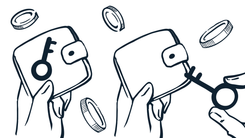
- Write down your seed phrase and store it securely — offline, not in screenshots or cloud storage
- Confirm the phrase to complete setup
Important: Your seed phrase is the master key to your funds. Never share it. Ever.
How to Add a Network
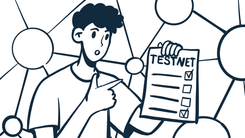
MetaMask supports more than just Ethereum. You can manually add other chains like Polygon, BNB Smart Chain, Arbitrum, Avalanche, and more.
Click the network name at the top of the wallet, select “Add Network,” and enter the necessary details (network name, RPC URL, chain ID, etc.). Once added, switching between networks is one click away.
Sending and Receiving Crypto
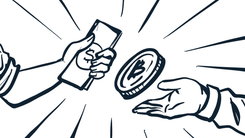
To receive crypto, simply copy your wallet’s public address and send it to the person or platform transferring tokens.
To send tokens: Enter the recipient’s address, pick the token and amount, set the gas fee, double-check the data, and hit “Send.”
Pro tip: Always double-check the wallet address before confirming. One typo — and your crypto could be gone forever.
Security Settings That Actually Matter
Want to protect your assets? Focus on these steps:
Use a hardware wallet (like Ledger) for larger holdings
Regularly review and revoke dApp permissions
Disconnect from sites you no longer trust
Enable 2FA wherever relevant (email, exchanges, etc.)
Security in crypto is mostly about habits — and the right tools.
More Than Just a Wallet
MetaMask isn’t just for holding tokens. It’s your gateway to Web3:
You can use it to interact with DeFi protocols like Uniswap or Aave, mint and manage NFTs on marketplaces, vote in DAOs, or connect to thousands of decentralized applications across different networks.
Each connection to a dApp is a potential risk, so review token approvals regularly and revoke the ones you no longer need. For larger amounts, consider keeping funds in a separate wallet that you don’t connect to dApps.