





The best GPUs for mining
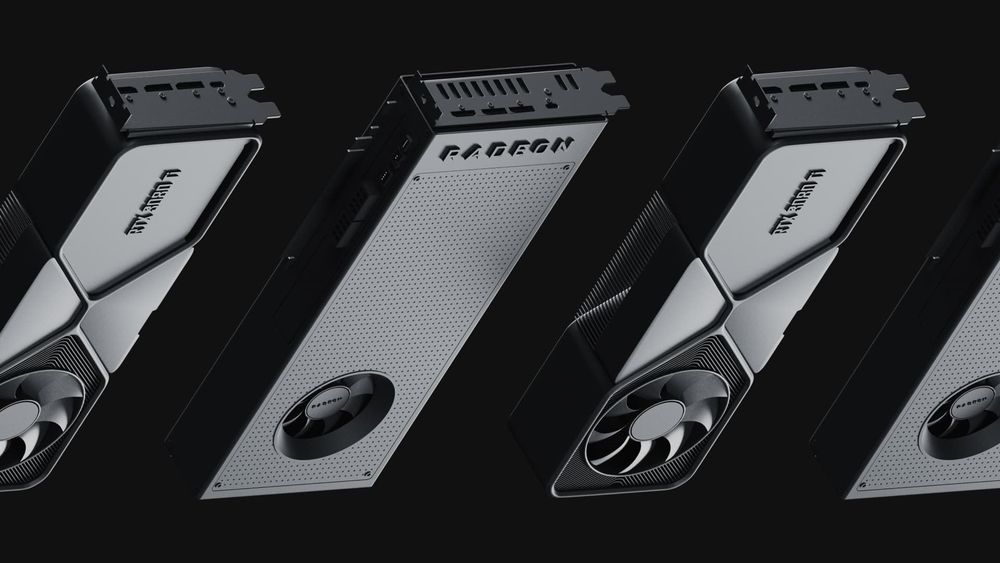

Graphics cards remain one of the two main types of hardware used to mine Proof-of-Work cryptocurrencies, alongside ASICs. This guide covers what actually matters when choosing a GPU for mining: which specifications affect performance, how to compare cards fairly, and the trade-offs to consider today.
Key Takeaways
- A hashrate figure is meaningless without its algorithm. The same RTX 3080 does roughly 98 MH/s on Ethash, about 850 MH/s on kHeavyHash (Kaspa), and about 42 MH/s on KawPow (Ravencoin)—numbers that differ by an order of magnitude. Always compare cards using the algorithm you intend to mine.
- Efficiency beats raw speed. The metric with the biggest impact on profitability is hashrate per watt measured at the wall, including PSU losses and the rest of the rig's power consumption, not peak hashrate on a spec sheet.
- GPU VRAM and system RAM are different. Mining performance depends on the GPU's onboard memory (capacity, type, and bandwidth). System RAM only needs to be sufficient for the operating system and mining software.
- Ethereum has not been mineable since September 2022. Any GPU comparison based on Ethash figures—including many older "best GPU" lists—reflects a mining landscape that no longer exists.
What a GPU Mining Rig Needs
A mining rig needs more than just graphics cards. You'll also need a motherboard with enough usable PCIe slots, a modest CPU, sufficient system RAM, a boot drive, powered risers, and—most importantly—a power supply that can handle continuous operation with adequate headroom. Good ventilation is equally important, as GPU mining generates significant heat and noise. Don't cut corners on power-related components: power supplies and risers operate under constant load and are often the first parts to fail if they're low quality.
Before you start mining, decide where your rewards will be sent. Whether you receive payouts directly to your own wallet or to an account with your mining pool, make sure you have a destination set up in advance.
The Specifications That Matter
CPU
For GPU mining the processor does almost nothing — hashing runs on the graphics cards. A modest CPU is sufficient; spending on a powerful one adds cost and idle power draw without adding hashrate.
System RAM vs GPU VRAM — not the same thing
This distinction decides GPU choice, so it is worth stating plainly. System RAM is the memory on your motherboard: it holds the operating system and miner process, and for a mining rig a modest amount is enough (miners are not memory-hungry applications; mining OSes like HiveOS run comfortably on small configurations). GPU VRAM is the memory soldered onto the graphics card itself — its capacity, type (GDDR6, GDDR6X, HBM) and bandwidth. Memory-hard algorithms load working data into VRAM, so it is VRAM capacity and bandwidth that determine whether a card can mine a given algorithm and how fast. When you see a mining guide say that "memory matters most," it's talking about VRAM, not your computer's system RAM.
GPU
The graphics card does the hashing. What matters: its architecture and core throughput, VRAM capacity and bandwidth, power draw, and the quality of its cooling — the card runs at sustained full load for months, so thermals determine both stability and lifespan.
Hashrate — and why the number needs a label
Hashrate measures how many hash calculations a GPU can perform each second. It's usually expressed in H/s and its multiples, such as MH/s or GH/s. One important detail: hashrate is always tied to a specific mining algorithm. The same GPU might deliver around 98 MH/s on Ethash, 850 MH/s on kHeavyHash, and 42 MH/s on KawPow. Those numbers can't be compared directly because each algorithm works differently. That's why a claim like "this card delivers 60 MH/s" is meaningless unless you know which algorithm was used and how the result was measured.
When it comes to mining profitability, efficiency matters more than raw hashrate. The key metric is hashrate per watt, measured at the wall. A GPU's reported power draw doesn't include losses from the power supply or the electricity used by the motherboard, risers, cooling fans, and other components. Since your electricity bill is based on total power drawn from the wall outlet, that's the number that really matters when evaluating a mining rig.
Choosing a Card: What to Compare
Instead of relying on a "top 10 GPUs" list that quickly becomes outdated, use a simple evaluation process:
- Choose the algorithm you want to mine. Start with cryptocurrencies that are currently practical to mine with GPUs, such as Kaspa (kHeavyHash), Alephium (Blake3), Ergo (Autolykos), Ravencoin (KawPow), or Ethereum Classic (Etchash).
- Compare GPU performance for that algorithm. Use a live database like WhatToMine, minerstat, or 2CryptoCalc to see each card's hashrate on your chosen algorithm.
- Focus on efficiency, not just speed. Compare hashrate per watt rather than raw hashrate, since electricity costs have a major impact on profitability.
- Check local prices. Compare both new and used GPUs in your region to understand the real cost of building or upgrading your rig.
- Estimate your potential returns. Run your shortlist through a profitability calculator using your actual electricity rate to see which option makes the most sense.
Both Nvidia and AMD offer GPUs worth considering for mining. Recent Nvidia RTX and AMD RDNA generations include several strong options, but there's no single "best" card. The right choice depends on the algorithm you plan to mine, GPU prices in your area, electricity costs, and your overall budget. It's also worth keeping an eye on the broader GPU market: demand from AI workloads continues to influence availability and prices, especially for higher-end models.
Honest Framing
GPU mining is cheap to enter: a viable rig means several cards, a capable PSU, risers, frame, and cooling — a real capital outlay, and hardware is a depreciating asset.
Whether any GPU earns depends on the coin’s price and difficulty, your electricity tariff, and how long the card stays competitive — none of which anyone can promise. Calculate with current numbers, stress-test against lower prices and higher difficulty, and treat any result as dated.
FAQ
How do I choose a video card for mining?
Start from the algorithm you plan to mine, then compare candidate cards on that algorithm’s hashrate, convert to hashrate per watt, check current prices in your region, and validate the shortlist in a profitability calculator with your electricity rate.
Which processor should I choose for mining on GPUs?
A modest one. GPU mining barely loads the CPU, so a low-power entry-level processor is the rational choice — it lowers both purchase cost and idle consumption.
Which video cards are not suitable for mining?
Cards with too little VRAM for your chosen algorithm, poor efficiency (high power draw relative to hashrate), and weak cooling designs that cannot sustain continuous load. Note that suitability is algorithm-dependent: a card unusable for one coin can be competitive on another.
What can I mine on besides a video card?
ASICs — devices built for a single algorithm. They outperform GPUs decisively on the algorithms they support (SHA-256 for Bitcoin, Scrypt for Litecoin and Dogecoin, kHeavyHash for Kaspa), at the cost of being unable to do anything else. CPUs remain viable only for a narrow set of coins such as Monero (RandomX).
without growing costs
cryptocurrencies



