

How to Buy Used ASIC Miners in 2026: Inspection Checklist Before You Pay
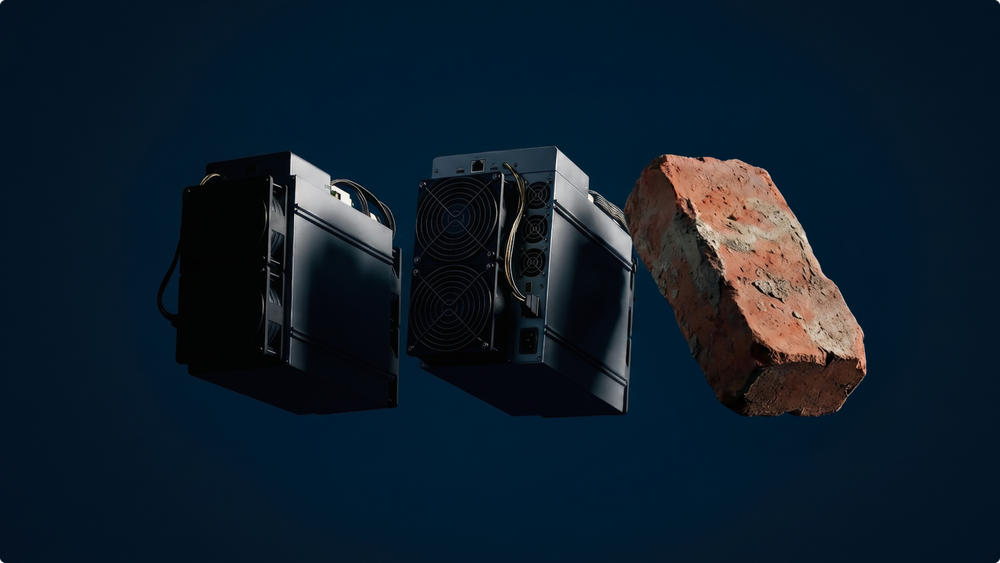

Used ASIC miners can cost 30-70% less than new machines, while refurbished units are often priced 10-25% below new retail units and may include a limited 30- to 90-day warranty. Buying a used machine can shorten the hardware payback period because of the lower upfront cost, but it also introduces risks such as a shorter lifespan, limited warranty coverage, hidden overheating issues, unstable hashrate, and poor J/TH efficiency. Before paying, run a 30-minute inspection that includes a visual check, operational history review, kernel log analysis, PSU stability testing, real hashrate verification, reject rate monitoring, and power consumption checks.
Buying a used machine in 2026 is not only about finding cheaper used mining equipment such as an Antminer S19 Pro or a Whatsminer M50. It’s about verifying whether these machines can still perform under real operating conditions.
The practical rule is simple: don’t buy a screenshot, buy a working machine.
A seller may claim, "S19 Pro, 110 TH/s, tested." That claim should be verified. In 30 minutes, the hardware can be inspected, the kernel log reviewed, the power setup checked, and the miner connected to a pool to confirm whether performance is close to specifications.
Key takeaways
- Used ASICs can be a smart entry point for retail miners in 2026, especially when newer hardware like the Antminer S21 or Whatsminer M60 is too expensive.
- Most used miners have no manufacturer warranty. Look for commercial sellers, verified marketplaces, or refurbished dealers that offer clear 30- to 90-day warranties.
- The most important checks are real hashrate, power draw, J/TH efficiency, chip health, fan condition, PSU stability, temperature, reject rate, and operational history.
- Joules per terahash, or J/TH, is the key efficiency metric. A lower J/TH means the machine uses less electricity for each unit of mining work.
- Kernel log errors can reveal problems that a simple dashboard screenshot hides.
- A 30-minute pool test is more reliable than a seller’s screenshot because it shows whether the miner can maintain stable hashrate under real mining conditions.
Why used ASIC miners make sense for crypto miners in 2026
Used ASIC miners make sense because they lower the entry barrier. ASIC miners are specialized hardware designed for cryptocurrency mining, which makes them far more efficient for this task than general-purpose hardware like CPUs or GPUs. For beginners, hobbyists, and small-scale miners, buying used can provide meaningful hashrate capacity at a fraction of the cost of new mining equipment.
For beginners, a used Antminer S19, Antminer S19 Pro, Whatsminer M30, or Whatsminer M50 can be a lower-cost way to learn mining without paying full price for a new Antminer S21 or Whatsminer M60. Used miners are often 30-70% cheaper than new retail units, making them more accessible for beginners and hobbyists. There is also the possibility of mining cryptocurrencies beyond Bitcoin, such as Litecoin, Dogecoin, Dash, and Ethereum Classic, depending on the algorithm and machine type. The choice of equipment can significantly affect long-term operating economics.
The lower initial cost can shorten the time needed to recover the hardware purchase price, but only if the miner is healthy, efficient, and matched to your electricity cost. Buyers should weigh upfront costs against expected operating performance to determine whether the purchase makes sense. That distinction matters.
A used ASIC may have been running continuously for years. It may have worked in a dusty mining farm, high heat, poor airflow, or aggressive overclocking mode. That kind of history can reduce lifespan and performance, even if the machine still boots normally.
The right question isn’t ‘Is this miner cheap?’ The right question is: ‘Can this miner still produce stable hashrate at acceptable efficiency for my electricity cost?’
WhatToMine calculates gross mining revenue, not net result. These tools can help you assess whether a used ASIC miner will be profitable under current market conditions.
ASIC Miner Value provides hardware-specific profitability data.
Hashrate Index tracks used ASIC market prices and difficulty.
Use these tools as starting points, not as promises. Electricity price, pool fees, uptime, cooling, repairs, rejected shares, and network difficulty decide the real operating result.
Can used ASIC miners deliver a quicker ROI?
Used ASIC miners may shorten the payback period because the upfront hardware cost is lower. That advantage only holds if the machine performs close to spec and remains reliable. If a machine costs much less than a new unit and still performs near its rated hashrate, the payback period may be shorter.
Many buyers consider used ASICs to reduce upfront costs and potentially shorten the payback period. Maximizing efficiency and minimizing costs, such as electricity and maintenance, can help increase profits from mining operations and make the investment more profitable. That strategy works only when the machine’s efficiency, repair risk, electricity cost, and remaining lifespan support sustainable operation.
Risk also plays a major role. A used ASIC is a hardware purchase, not a guaranteed outcome. The same machine may be economically viable in one setup and unsuitable in another because electricity rates, Bitcoin price, network difficulty, pool fees, and uptime all change.
A cheaper used miner may also bring:
| Factor | How it affects the result |
| Shorter remaining lifespan | Less time to recover the hardware cost |
| Poorer energy efficiency | Higher electricity cost per terahash |
| Limited warranty | More repair risk for the buyer |
| Hidden overheating issues | More downtime and unstable output |
| Weak resale value | Lower recovery if you sell later |
| Market rise or difficulty change | Can change expected output and payback assumptions |
This is why a used ASIC should not be judged only by price. A low-cost machine with unstable hashrate, high power consumption, and no warranty can become more expensive than a better unit with a higher purchase price.
New vs refurbished vs used: cost, warranty, lifespan, and resale value
A new ASIC offers the cleanest starting point. A refurbished ASIC offers some middle ground if it has been properly tested and repaired. A used ASIC offers the lowest entry cost but places the inspection burden on the buyer.
| Option | Cost | Warranty | Lifespan | Risk level | Resale value |
| New ASIC | Highest | Usually manufacturer or reseller warranty | Longest practical lifespan if cooled and maintained well | Low to medium | Highest, if demand remains strong |
| Refurbished ASIC | Often 10-25% less than new | Limited seller warranty, often 30-90 days | Medium to long if repairs were done properly | Medium | Medium, depends on repair quality and proof |
| Used ASIC | Often 30-70% cheaper than new | Often none or very short seller warranty | Depends heavily on past usage, cooling, dust, repairs, and chip health | Medium to high | Lower, unless the model stays in demand |
New equipment usually gives the cleanest warranty position and the longest expected service window. Used equipment gives a lower entry price, but the buyer takes more responsibility for inspection, testing, and future repairs.
Refurbished and used are not the same thing.
A refurbished ASIC should be professionally inspected, cleaned, repaired where needed, and retested. Many refurbished dealers also provide a limited guarantee, often for 30 to 90 days. A used ASIC may simply be a machine pulled from a rack and listed for sale.
If the seller can’t explain what was repaired, which hashboards were replaced, or how long the unit was tested, treat ‘refurbished’ as a marketing word until proven otherwise.
Newer ASIC miners usually offer better energy efficiency and higher hashrates than older models. That can support stronger long-term operating economics despite the higher upfront cost. Older used miners can still make sense, but only when the purchase price, electricity tariff, and the entire mining system are considered. That includes cooling setup, power supply, infrastructure, and expected downtime.
For retail miners, the best value often comes from buying a popular model with available parts and community knowledge. Antminer S19 and S19 Pro units are widely discussed and easier to benchmark. Newer models like Antminer S21 and Whatsminer M60 offer better efficiency but usually cost more, even on the secondary market.
Pre-owned ASIC miners: what to check before buying
Pre-owned ASIC miners require more thorough inspection than new units because their operating history matters.
Before discussing price, ask the seller for:
| What to request | Why it matters |
| Exact model and serial number | Confirms the unit is real and matches the listing |
| Operational history | Shows how long and where the miner worked |
| Overclocking history | Helps identify possible stress on chips and boards |
| Kernel log | Reveals errors that dashboards may hide |
| Pool-side test screenshot or video | Confirms real accepted mining work |
| PSU details | Shows whether the power supply matches the miner |
| Warranty terms | Clarifies who carries the repair risk |
| Stock availability | Shows whether the seller holds real units or is reselling unseen gear |
A reliable seller should not struggle to provide this information. If they can’t show the miner working, can’t explain its condition, or pushes for quick payment, slow down. In used mining hardware, urgency often benefits the seller more than the buyer.
Physical inspection: mining equipment, fans, boards, and cooling
Start with the outside. ASICs are industrial machines, and wear becomes visible over time.
First, check the casing. Dents are not automatically fatal, but heavy impact marks can signal shipping damage or poor handling. Look at the screws. Missing screws, stripped heads, mismatched bolts, or tool marks may mean the miner was opened many times.
Then inspect for oxidation. White, green, or blue residue near connectors, hashboards, control boards, and PSU terminals can point to moisture exposure. Moisture can create unstable contacts, corrosion, short circuits, and failures that appear only after the machine heats up.
Next, check for soot or burn marks. Brown spots, darkened connectors, melted plastic, or a burnt smell are immediate red flags. A miner that smells like electrical fire is not a bargain. It’s a future repair issue.
Fans deserve their own check. Cooling systems are essential for ASIC miners because the machines generate significant heat during operation. Poor cooling can reduce performance, trigger shutdowns, increase chip errors, and shorten hardware lifespan.
Spin the fans gently by hand when the machine is off. They should move smoothly, without grinding or wobbling. Broken blades, loose frames, rattling, or heavy dust buildup can affect cooling. Bad cooling turns a cheap purchase into a maintenance project.
Clean airflow, stable fan speed, and controlled temperature are not cosmetic details. They help support a longer lifespan and reduce the chance of chip errors under load.
Open the miner only if the seller allows it and you know what you’re doing. Inside, look for dust mats, insect residue, oil, corrosion, loose heatsinks, and signs of previous repair. A little dust is normal. Thick compacted dust means airflow has been poor. Loose heatsinks are worse because they can quickly overheat chips.
For hydro or immersion-used machines, ask for more detail. A unit that was previously immersion-cooled may need different handling, cleaning, and warranty assumptions. Don’t buy it as a regular air-cooled machine unless the seller can clearly explain its history.
Why operational history matters: mining farm use, heat, and uptime
Operational history can tell you more than the listing title.
A used ASIC from a clean, well-ventilated mining farm may be in better condition than a machine that ran in a garage with dust, poor airflow, and unstable power. The model name may be the same. The remaining lifespan may be very different.
Ask three direct questions:
- How long did the miner run?
- Was it overclocked?
- What cooling and maintenance routine was used?
Continuous 24/7 operation is normal for ASICs, but the environment matters. Heat, dust, moisture, poor ventilation, and unstable voltage all increase wear. If the seller says the miner ‘worked perfectly’ but can’t provide logs, photos, or test proof, treat the claim carefully.
Good operational history can also support resale value later. If you can show that the miner was tested, maintained, and run under reasonable conditions, the next buyer has more reasons to trust it.
Performance test: how to verify real hashrate and efficiency
The performance test is where many bad deals die.
Plug the ASIC into the correct power setup, connect Ethernet, access the miner interface, and confirm that all hashboards are detected. Then connect it to a mining pool and let it run for at least 30 minutes. Longer testing periods are ideal, but 30 minutes is usually enough to catch obvious issues.
Compare three numbers:
| Metric | What you want to see | Why it matters |
| Local hashrate | Close to model spec | Shows what the miner reports internally |
| Pool hashrate | Close to local hashrate after warm-up | Confirms real accepted work |
| Reject rate | Low and stable | High rejects reduce actual output |
Hashrate shows the miner’s processing power. In simple terms, higher hashrate means the machine contributes more work to the pool and has a better chance of receiving rewards through its share of total pool performance.
But hashrate alone is not enough.
Energy efficiency shows how much electricity the miner consumes for each unit of work. In ASIC mining, this is usually measured as J/TH. Lower J/TH is better because the machine uses less electricity for each terahash. If electricity is expensive, an older inefficient ASIC can lose its price advantage quickly.
If pool-side hashrate stays within roughly 5-10% of the expected model range after warm-up and reject rate remains low, the test is broadly healthy. Larger gaps need investigation before payment.
For example, if an Antminer S19 Pro is sold as 110 TH/s but holds only 82 TH/s on the pool, something is wrong. It may be underpowered, overheating, misconfigured, or missing a stable hashboard.
A pool-side test matters because it shows whether the ASIC can perform under real mining conditions, not only inside the local dashboard.
Now check efficiency. If two miners produce similar hashrate, the one with lower J/TH uses less electricity for the same mining output. A used S19-era miner may be cheaper, but an S21 or Whatsminer M60 can be much more efficient. That gap matters if your electricity cost is high.
Kernel log is the next checkpoint.
In the miner interface, open the kernel log and look for patterns. Repair expertise is not required, but common warning signs should be recognized.
| Kernel log signal | What it may mean |
| Missing chips | A hashboard may be failing |
| Frequent ASIC errors | Chip instability, heat, or board damage |
| CRC errors | Communication issues between boards and controller |
| Fan errors | Cooling problem or fan failure |
| Temperature warnings | Airflow, heatsink, or environment issue |
| Hashboard dropouts | Board instability under load |
| Repeated restarts | PSU, firmware, temperature, or board issue |
One error line is not always fatal. Repeated errors are the issue. A miner that looks fine on the dashboard but keeps throwing chip errors in the kernel log is not healthy.
Power consumption and infrastructure check at your site
A used ASIC may be functional but still unsuitable for a specific mining setup.
Before buying, check your power capacity. Most modern ASICs are not plug-and-play home devices. They need serious power, stable wiring, proper breakers, strong ventilation, and a realistic noise plan.
Check these before you pay:
| Site factor | Why it matters |
| Voltage and outlet type | Many ASICs require 200-240V power |
| Breaker capacity | Overloaded circuits create fire and outage risk |
| Heat removal | ASICs produce constant heat |
| Noise | Many air-cooled ASICs are too loud for normal living spaces |
| Internet stability | Connection drops reduce uptime |
| Electricity price | Mining results depend heavily on power cost |
| Cooling cost | Extra ventilation can change the real operating cost |
| Fire hazards | Poor wiring, weak cables, or overloaded circuits can create safety risks |
Older ASICs usually consume more electricity for each unit of work than newer models. That doesn’t automatically make them bad purchases, but it means you must calculate power consumption before buying. Always factor in electricity costs when evaluating a used ASIC miner because high power usage can quickly weaken the operating result. A low purchase price can be offset by poor efficiency, high cooling costs, unstable uptime, or electricity rates that are too high for the model’s J/TH.
Never test a high-power ASIC using an unreliable extension cord. ASICs require proper electrical infrastructure.
Power supply check: PSU, cables, and voltage requirements
Power supply units are a common weak point in used ASIC purchases.
Check the PSU model, cables, terminals, and connectors. Look for discoloration, melted plastic, buzzing, unstable voltage, or previous repair marks. If the PSU comes separately, confirm it matches the miner’s requirements.
A weak or mismatched power supply can create unstable hashrate, restarts, hashboard dropouts, and overheating. It can also make a healthy ASIC look faulty during a test.
Before paying, confirm:
| PSU check | What to confirm |
| Compatibility | PSU matches the ASIC model and power draw |
| Voltage | Site power matches the miner’s requirements |
| Cable condition | No melted, cracked, loose, or discolored connectors |
| Stability | No buzzing, shutdowns, or voltage-related errors |
| Spare availability | Replacement PSU is available if needed |
Don’t treat the PSU as an accessory. For a used ASIC, it’s part of the risk profile.
Where to buy used mining equipment: seller reputation and verification
Seller credibility matters as much as the machine itself.
It’s safer to buy from verified sellers, commercial resellers, refurbished dealers, or reputable marketplaces that have seller history, dispute processes, and clear return terms. Online marketplaces like eBay and Amazon may list both new and used ASIC miners, but buyers should be cautious of scams, counterfeit products, edited screenshots, and machines sold without real test proof.
Buying directly from another miner may reduce costs, but it also increases verification risk. Before someone tries to sell you a used ASIC privately, ask for proof that the machine works under load, not just photos or dashboard screenshots.
In the U.S. and Canada, specialist platforms for new and used miners can connect buyers with pre-qualified sellers and mining equipment listings. The biggest marketplace in the U.S. and Canada specializes in new and used miners and mining equipment for sale, connecting mining clients with pre-qualified sellers. These platforms may be more relevant than general marketplaces because they focus on mining hardware, but you still need to verify the machine, seller, warranty, and shipping terms.
Some companies sell used ASICs from their own stock. Others act as intermediaries between buyers and sellers. That difference is crucial: when the seller controls the hardware, they can usually provide clearer test proof and shipping details. When a platform only connects buyers and sellers, check the process for disputes, returns, and faulty gear.
A trusted seller should provide model details, serial number, test video, kernel log screenshot, pool-side hashrate screenshot, invoice or ownership proof where possible, and clear warranty terms. If basic proof cannot be provided, walk away. Reliable after-sales support can reduce risk when buying used mining hardware.
Good seller verification includes:
| Check | What to ask |
| Seller reputation | Reviews, marketplace history, public business profile |
| Identity | Business name, website, public profile, or verified marketplace history |
| Ownership | Invoice, batch information, or purchase proof |
| Operational history | How long the miner ran, where it ran, and whether it was overclocked |
| Test evidence | Video showing serial number, dashboard, kernel log, and pool data |
| Warranty | Exact return window and what is covered |
| Shipping | Packaging method, insurance, and who pays if damage occurs |
| Payment | Avoid irreversible payment to unknown sellers |
| Return process | What happens if the miner fails after delivery |
Marketplace screenshots can be edited. Recorded video is better, and live video verification is even better. If you’re buying remotely, ask the seller to show the miner’s serial number, then open the dashboard and pool worker page in the same recording.
For pricing context, use multiple sources. Hashrate Index tracks used ASIC market prices and difficulty. ASIC Miner Value provides hardware-specific profitability data. Neither tool replaces inspection, but both help you spot prices that look suspiciously high or suspiciously cheap.
Common pitfalls when buying used ASICs
The first pitfall is trusting the nameplate specifications. A miner’s model tells you what it was designed to do, not what it can still do after years of continuous operation.
The second pitfall is ignoring operational history. A used ASIC may have been running 24/7 for years. Ask where it was used, how it was cooled, whether it was overclocked, and why it’s being sold.
The third pitfall is ignoring electricity. A cheap ASIC with poor energy efficiency can become expensive once the power bill arrives. Mining calculators can estimate gross revenue, but they can’t fully price your downtime, repairs, fan replacement, PSU issues, rejected shares, cooling costs, or local electricity tariff.
The fourth pitfall is missing hidden issues. Some sellers may not disclose overheating, unstable hashrate, noisy fans, weak PSUs, previous repairs, or hashboards that fail under load. That’s why kernel logs and pool-side tests matter.
The fifth pitfall is buying a miner with no parts ecosystem. Popular models like Antminer S19, S19 Pro, S21, Whatsminer M30, M50, and M60 are easier to benchmark and discuss because many miners use them. Unknown models may look cheap until something breaks.
The sixth pitfall is skipping the pool test. A seller’s dashboard screenshot can show local hashrate. A pool test shows accepted work. Those are not always the same.
The seventh pitfall is treating refurbished as automatically safe. Refurbished only means something if the seller explains what was repaired and provides test evidence.
The eighth pitfall is underestimating heat and noise. ASICs are not quiet boxes. They generate substantial heat and noise during operation.
The ninth pitfall is buying in bulk before testing one unit. Bulk purchases can reduce the unit cost, but they also multiply the risk if the batch has the same hidden fault.
Pre-purchase checklist
- Confirm exact model, version, serial number, and rated hashrate
- Check current market price for the same model and condition
- Ask for operational history, cooling conditions, and overclocking history
- Inspect casing, screws, connectors, oxidation, soot, and burnt smell
- Check fan blades, fan speed, airflow, and noise
- Inspect PSU model, cables, terminals, and voltage requirements
- Boot the ASIC and confirm all hashboards are detected
- Read the kernel log for chip errors, fan errors, CRC errors, and board dropouts
- Run a 30-minute pool test and check hashrate, reject rate, temperature, power draw, and J/TH
- Confirm warranty, return window, shipping terms, and payment protection
FAQ
Why are used ASIC miners cheaper than new ones
Used ASIC miners are cheaper because they’ve already consumed part of their physical and commercially useful lifespan. They may also come from farms upgrading to newer models with better J/TH efficiency. The discount reflects age, wear, weaker warranty, possible repairs, and higher buyer risk.
What’s the difference between refurbished and used ASIC miners
A used ASIC is usually sold in its current condition. A refurbished ASIC should be professionally inspected, cleaned, repaired if needed, and tested before resale. Refurbished units often cost less than new miners but more than regular used units, and they may come with a limited seller warranty.
How long do ASIC miners last
ASIC miners can often run for several years if they’re cooled, cleaned, and powered correctly. The actual lifespan depends on model quality, temperature, humidity, dust, maintenance, PSU health, and whether the machine was overclocked. Commercially useful lifespan can be shorter because network difficulty, Bitcoin price, and electricity cost change over time.
What’s the most important spec to check on a used ASIC
The most important spec is not only hashrate. It’s stable hashrate at acceptable efficiency. Check hashrate, J/TH, power draw, reject rate, chip errors, and temperature together. A miner that reaches high hashrate but overheats or throws errors is not a good buy.
Conclusion
A used ASIC miner can be a smart purchase in 2026, but only when it is inspected like hardware — not judged by listing photos.
For retail miners, the best 30-minute inspection routine is simple: review operational history, inspect for visible damage, check fans and PSU health, read the kernel log, run a pool test, compare actual hashrate with claimed performance, and calculate efficiency against electricity costs.
Cheap hardware is only cheap if it keeps hashing.
without growing costs
cryptocurrencies