





How Long Does a GPU Last While Mining?

Disclaimer: This material is provided for general informational purposes only and does not constitute legal, tax, financial, or investment advice. It does not contain an offer to acquire, sell, exchange, use, or accept digital currency, nor is it intended to promote goods, works, or services related to the circulation of digital currency. Applicable regulation and legal consequences depend on the specific circumstances, a person's status, jurisdiction, the nature of the transaction, and other factors. Before taking any action, consult a qualified professional and check the current requirements of applicable law.
A graphics card, also known as a GPU (Graphics Processing Unit), is the first and most crucial component of a computer when it comes to crypto mining. While CPUs (Central Processing Units) are known to have a relatively long lifespan, many miners are wondering how long a mining GPU lasts.If you take good care of your device — using it at standard voltage, avoiding overclocking, and ensuring proper cooling — a new graphics card can easily last five years or more, even under daily stress. This also applies to gaming hardware: with proper use, gaming laptops can last just as long. Cards that run overvolted and overclocked for extended periods tend to show wear sooner, though there's no single agreed-upon average lifespan figure for this — it depends heavily on the specific voltage, cooling, and duration involved.
New graphics cards may fail to function or wear out within three years of purchase. This is not necessarily due to heavy use but could be the result of poor electrical or thermal design or inadequate maintenance. You need to pay special attention to the cooling system of your hardware. You should also ensure the right temperature levels for optimal performance. A properly cooled GPU typically doesn't fail after just a few years, regardless of whether it's used for gaming, video creation and editing, or other tasks.
Electronics degrade very slowly simply due to the flow of electricity, so the lifespan of a graphics card depends more on the temperature conditions under which it is used.
Key Takeaways
- A well-cooled GPU run at stock voltage can realistically last 5+ years, mining or otherwise — heat, not electrical wear, is the main lifespan factor
- Safe temperature limits are model-specific, not universal. A single "70–75°C" rule doesn't hold across GPU generations — check your exact model's edge and junction (hotspot) limits
- Manufacturer-built boost/overclocking headroom is safe; manual overclocking beyond stock settings adds wear risk and does not come with any guaranteed lifespan
- Ethereum can no longer be GPU-mined (moved to Proof-of-Stake in 2022), and Bitcoin is effectively ASIC-only today — neither belongs in a consumer-GPU mining context
- Skip fixed maintenance schedules (e.g. "clean every month," "repaste twice a year") — clean and repaste based on actual temperature creep and dust buildup, which vary by environment
What is the Lifespan of a Graphics Card during Mining?
If you're wondering what the service life of a video card during mining is, you should realize that a well-cooled GPU in a clean, well-ventilated environment will typically outlast its warranty period by a significant margin. However, reflashing the BIOS and running your device at an increased power level can certainly shorten its lifespan.
However, new GPUs rarely fail when used with proper cooling. If you're trying to figure out how to extend the service life of a GPU, you need to know the main failure causes of your device first. These include repeated thermal expansion and contraction, as well as physical damage. While cooling may not guarantee an extended lifespan, it certainly significantly increases the chances of longevity.
While graphics cards can run for years, even under 24/7 heavy use, they must be well-cooled to prevent future issues. Safe temperature ceilings vary by model: Nvidia's own spec for the RTX 3080, for example, puts the maximum GPU (core) operating temperature at 93°C, with recommended sustained gaming loads closer to 65–85°C — running consistently near the ceiling isn't advisable even though it's within spec for brief peaks.
It's worth buying GPUs from well-known brands like AMD and Nvidia for long-lasting operation.
GPU Components
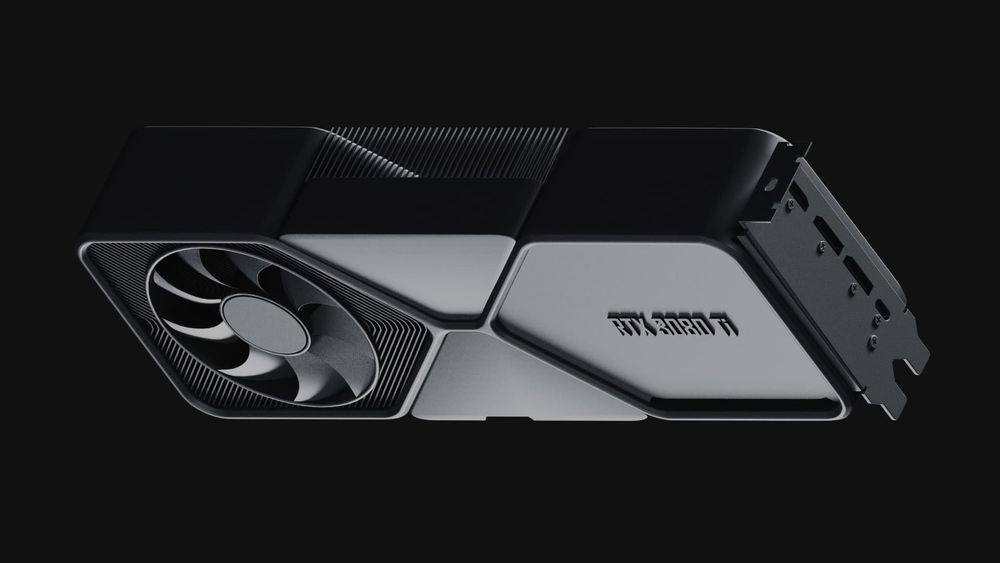
The graphics card has been one of the most innovative solutions for newcomers in recent years. The device consists of several components, and any failure in these can be fatal, potentially leading to premature failure. Here are the main components of a graphics card:
- PCB (Printed Circuit Board)
- Component base
- Graphics processor
- Memory
- Cooling system
- Power supply system
If you're wondering whether it's possible to tell if it's a used mining graphics card and whether it's worth buying such a device for gaming and everyday tasks, you need to examine the peculiarities of its components' operation closely.
Textolite Board
This PCB (Printed Circuit Board) is made of 5-10 layers of textolite and dielectric material. All the graphics card components are mounted on this board, so the quality of the soldering of wires and contacts is crucial for the long life of a GPU.
Video card overheating can cause the delamination of some components on the PCB, leading to wear and tear on this graphics card. It's recommended to buy graphics cards from reliable companies and avoid the annoying ads of unscrupulous marketplace sellers, even if the prices seem attractive.
Component Base
Capacitors, chokes, MOSFETs, and other power supply components are soldered to the PCB. Damage to any of these elements can cause operational issues or complete failure of the graphics card. The primary cause of problems with these components is overheating, which often indicates that the graphics card was used for mining.
Graphics Processor
It's challenging to damage the GPU physically, as it's attached to the PCB by BGA (Ball Grid Array) soldering. However, overheating can have severe consequences, as it may cause the solder joints to delaminate, potentially leading to irreparable damage.
Memory
Before buying a graphics card, you need to consider another crucial component: VRAM. This is the next critical element after the GPU, as it stores intermediate data needed for mining. Keep in mind that VRAM rarely fails, but it can be damaged by excessive overclocking of the graphics card.
Cooling System
The cooling system consists of an aluminum radiator with copper pipes and fans (coolers). As a rule, the radiator doesn't break; it can only be damaged physically. Fans generally have an average lifespan of about 4-6 years under normal conditions.
Power Supply System
If you're eager to find out the service life of a GPU, you need to pay attention to the power supply system first. This component is crucial for the stability and longevity of the graphics card. Overheating or high loads can lead to the failure of this system.
To avoid these and other issues, buy graphics cards with a large radiator area and 2-3 coolers. Additionally, look for graphics cards with a separate cooling system for the power circuits. These devices have a long-lasting lifespan and are a great option for mining.
Budget models of graphics cards often come with weaker power supply components. It's worth investing in higher-end equipment for mining since these devices are designed to handle sustained loads better.
Maintaining a Graphics Card for Mining
The average lifespan of graphics cards used for cryptocurrency mining is about five years. To achieve this, it's essential to buy equipment from reliable manufacturers and keep it well-maintained.
Temperature. Safe operating limits depend on the specific GPU model — there is no single number that applies across all cards. As a rough guide: RTX 30-series cards are generally fine up to about 90°C edge / 93°C GPU temperature under sustained load, with junction (hotspot) temperatures safely running higher; RX 7000-series cards can safely run with junction temperatures up to 95–105°C while keeping edge temperature under about 85°C. Always check your specific model's datasheet or manufacturer guidance rather than relying on one universal figure. To ensure reliable operation, regularly monitor and test your device's temperature to keep it within its model's safe limits.
Video card configuration. To mine efficiently, it's crucial to fine-tune your graphics card settings. This will increase its hashrate and reduce daily power consumption, as well as heating. MSI Afterburner is one of the most popular tools for optimizing graphics cards for mining.
Coolers. Clean the fans and heatsink when you notice rising temperatures or louder fan noise for the same workload — this varies by environment (dusty rooms need attention far more often than clean, filtered ones) rather than following a fixed monthly schedule.
Thermal paste replacement. Thermal paste is applied between the GPU and the radiator for more efficient heat transfer. Over time, the paste dries out and loses efficiency. Rather than replacing it on a fixed calendar schedule, watch for a gradual rise in idle or load temperatures compared to when the card was new — that's the signal it's time to repaste.
Using reliable components. You should choose additional components like risers, considering their impact on your graphics card's performance. For instance, risers equipped with power stabilizers are important. Lower-priced devices might operate improperly, causing voltage spikes and unstable GPU performance.
Consider installing farm-monitoring software such as HiveOS, Awesome Miner, or minerstat, which track hashrate, temperature, and rejected shares across your rigs and can alert you to malfunctions or temperature spikes.
Conclusion
There is no fixed lifespan for a graphics card used in mining. How long a GPU remains operational depends on factors such as temperature, power settings, workload, cooling, dust buildup, and maintenance. Keeping the card within the manufacturer’s recommended operating range and servicing it based on its actual condition can help reduce unnecessary wear.
When selecting mining hardware, specifications, cooling design, warranty terms, and component quality are more useful criteria than brand reputation alone. Once a rig is running, EMCD Mining Pool provides 24/7 hashrate and worker monitoring, which can help identify unexpected performance drops or downtime.
FAQ
Do video cards slow down over time?
If properly cooled, graphics cards don't slow down over time, and their performance remains stable. However, they may wear out due to heating, which causes the components to expand and contract. Despite this, graphics cards can function for a long time and maintain their performance even when not in use.
Does mining harm video cards?
Mining itself doesn't damage your GPU, provided it's run within the card's rated temperature and power limits — the same is true for gaming or any other sustained workload. If your GPU is properly cooled and operated in a dust-free environment, it can last a long time. Mining software itself is not inherently harmful, just like any other code that runs on your computer.
How long does an overclocked graphics card last?
With proper cooling, an overclocked graphics card can still last several years — but overclocking beyond stock settings removes some of the manufacturer's built-in safety margin, so there's no guaranteed lifespan figure that applies "even after overclocking." Modern GPUs do include manufacturer-managed boost algorithms (like Nvidia's GPU Boost) that adjust clocks dynamically within safe limits — that's different from manual overclocking, which shifts more of the risk onto correct cooling and voltage settings. If you do overclock, use temperature monitoring software and stay within limits of your specific card's manufacturer documents.
How often should I replace my video card for mining?
Graphics cards are usually replaced either when they show signs of malfunctioning or when their performance significantly lags behind newer models. The average lifespan of a mining video card is from 3 to 5 years.
How long can the graphics card run at 100% capacity?
With proper cooling, your graphics card can run at full capacity for years. To promptly detect any signs of overheating, it's recommended that you use GPU temperature monitoring software, such as GPU-Z or HWiNFO.
How long do the graphics card fans last?
GPU coolers typically last between 35,000 and 50,000 hours, which is about 4 to 6 years of continuous operation in an optimal, dust-free environment. Under harsher conditions, their lifespan may be reduced to 2 to 3 years.
The lifespan of a GPU cooler depends on the quality of its construction, the fan curve, and the amount of dust exposure. It's preferable to keep the fan speed constant rather than fluctuating. Keep in mind that frequent changes in fan speed due to constant heating and cooling of the GPU can lead to premature wear and tear.
Disclaimer: This material is provided for general informational purposes only and does not constitute legal, tax, financial, or investment advice. It does not contain an offer to acquire, sell, exchange, use, or accept digital currency, nor is it intended to promote goods, works, or services related to the circulation of digital currency. Applicable regulation and legal consequences depend on the specific circumstances, a person's status, jurisdiction, the nature of the transaction, and other factors. Before taking any action, consult a qualified professional and check the current requirements of applicable law.
without growing costs
cryptocurrencies



