

Bitcoin Mining Software: How to Manage an ASIC Mining Farm With BTC Tools, Sub-Accounts, and Batch Updates
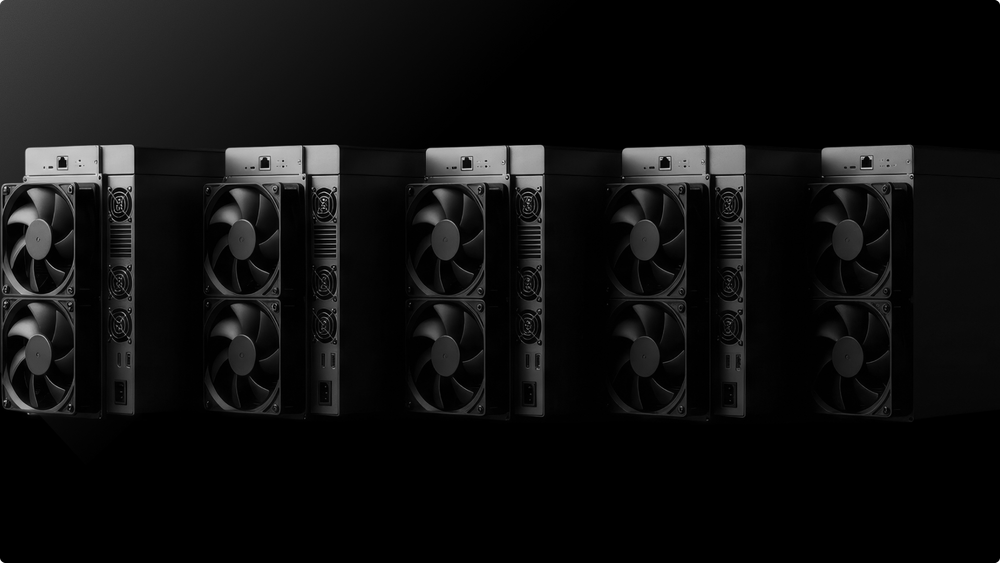

Managing an ASIC mining farm means moving beyond individual miner web interfaces to batch operations, centralized fleet monitoring, pool-side dashboards, and structured sub-accounts.
One ASIC can be managed by hand. Five ASICs already need structure. Fifty ASICs need a workflow.
At that point, mining becomes an operations problem:
- IP addresses and firmware versions;
- worker names and pool settings;
- temperature warnings and fan speed;
- rejected shares and payouts;
- uptime and network stability.
This guide explains how retail and mid-size miners can manage a growing ASIC fleet with BTC Tools, EMCD Monitoring, pool dashboards, sub-accounts, clear worker names, and API access.
Key takeaways
- ASIC farm management gets harder after five machines, because manual web-interface checks do not scale.
- BTC Tools can scan local IP ranges and batch-configure supported Antminer and Avalon ASICs: pool settings, worker names, reboots, and firmware updates.
- EMCD Monitoring brings the whole fleet into one interface: live device status, instant alerts, heat maps, bulk actions, and reports. It works with any pool, firmware, and device.
- The pool dashboard shows the final result: whether miners are connected, submitting accepted work, and contributing to payouts.
- Structured sub-accounts separate workers by location, model, client, or test group.
- A clear worker naming format, such as farm1.s21pro-001, makes troubleshooting faster.
- Track hashrate, temperature, fan speed, share submissions, uptime, rejects, and network health, and set alert thresholds for each.
- Electricity is often the largest mining cost, so check any undervolting against pool-side performance, not only local miner screens.
Why management tools become essential after 5 ASICs
Managing a single ASIC is straightforward: open the miner's web interface, enter the Stratum endpoint, add the worker name, and check that hashrate appears in the pool dashboard. Once an operation grows beyond five machines, problems start to accumulate.
| Problem | What happens |
|---|---|
| Different IP addresses | Machines become harder to find on the local network |
| Different models | Antminer, Whatsminer, and Avalon units behave differently |
| Different firmware versions | Updates and settings become inconsistent |
| Random worker names | It becomes hard to match pool workers to physical machines |
| No sub-accounts | Locations, clients, and models get mixed together |
| No alert thresholds | Problems are noticed too late |
| Local-only checks | A miner may look fine locally but underperform pool-side |
A growing fleet may include several generations of Antminer, Whatsminer, and Avalon machines. Each has its own expected hashrate, power draw, temperature profile, firmware access, and limits.
The goal is a simple operational framework:
- Scan the network.
- Identify machines.
- Group workers logically.
- Configure pool settings in batches.
- Monitor devices and set alert thresholds.
- Check pool-side performance.
- Test updates before rolling them out.
- Document what changed.
The three layers of farm management
As an operation grows, mining software becomes its central control layer. It is useful to think of it as three layers that complement each other:
| Layer | Examples | What it does |
|---|---|---|
| Configuration | Built-in ASIC firmware, BTC Tools | Connects machines to the pool, applies batch settings and firmware updates |
| Monitoring and control | EMCD Monitoring | Shows the status of the entire fleet in one place, sends alerts, performs bulk actions |
| Pool-side results | EMCD Mining Pool dashboard | Shows accepted work, worker status, and payouts |
Each layer answers a different question. Configuration tools answer "how do I set up many machines at once?" Monitoring answers "what is happening with my equipment right now?" The pool dashboard answers "is this work actually counted?"
BTC Tools: scan, configure, and batch-update your fleet
BTC Tools is a free utility for batch management of ASICs on a local network. It can:
- scan supported Antminer and Avalon ASICs by IP range;
- configure pool settings;
- update worker names;
- reboot selected miners;
- collect basic data;
- apply firmware updates to supported devices.
| BTC Tools feature | Why it matters |
|---|---|
| IP scanner | Finds miners across the local network |
| Batch pool config | Updates pool URL, worker name, and password |
| Batch worker name setup | Keeps naming consistent |
| Batch reboot | Restarts selected miners after changes |
| Batch firmware update | Updates supported ASICs without opening each interface |
| Temperature, fan, and hashrate view | Gives fast local visibility |
BTC Tools has historically focused on older Antminer and Avalon models. For newer machines, check compatibility with your exact model and firmware before relying on it for batch updates.
BTC Tools is a configuration tool, not the source of truth for performance. After any batch change, check the pool dashboard to confirm that accepted work reaches the pool.
EMCD Monitoring: one place for the whole fleet
When a farm grows beyond a few dozen machines, configuration tools are not enough: you need to see the entire fleet at once and react to problems as they happen. This is what EMCD Monitoring is built for.
EMCD Monitoring is a unified management center for ASIC devices, from home setups of five or more machines to industrial data centers. It works with any pool, firmware, and device, so connecting to it does not require mining on EMCD Mining Pool. You can plug in your existing setup and, among other things, use it to verify the performance of the pool you already use.
Key features:
- Live monitoring and instant alerts: hashrate, device status, chip temperature, and fan speed for the whole fleet on one screen, with an alert the moment a machine drops off or slows down.
- Visual maps and heat map: containers and racks are shown as maps, and the heat map makes it clear which cell needs attention first.
- Pool diagnostics and bulk actions: when results dip, see whether the device, the pool, or the connection is to blame, then restart, reconfigure, or reassign hundreds of devices in one step.
- Reports and history: every event is stored and can be turned into a report. Energy reports can be split by owner and site.
- Team access and client app: owners, administrators, and technicians work in one system with their own roles, while data center clients get an app with the full history of work on their ASICs.
AI-based automation and API access are planned for future releases. These include schedules tied to electricity prices, alerts about machines that stop paying off, and data access for your own tools.
Learn more at emcd.io/monitoring.
How to build a clean miner inventory
A growing operation needs a well-maintained inventory. Monitoring tools can pull much of this data automatically, but the structure should be defined by you.
| Data point | Why it matters |
|---|---|
| Miner model | Helps compare against expected performance |
| IP address | Helps locate and access the machine |
| Network segment | Shows where the miner sits |
| Worker name | Links the machine to the pool dashboard |
| Firmware version | Helps plan updates |
| Working mode | Shows standard, low-power, or custom settings |
| Temperature | Helps identify cooling problems |
| Fan speed | Helps detect fan or airflow issues |
| Pool configuration | Confirms the correct Stratum endpoint |
| Status | Shows whether the miner is working normally |
An undocumented miner is effectively unmanaged.
Pool dashboard: where results are confirmed
The pool dashboard does not replace device-level tools, but it shows the final result: how much of your work the pool actually counts.
| Pool dashboard metric | Why it matters |
|---|---|
| Worker status | Shows whether each ASIC is online or offline |
| Real-time hashrate | Shows current pool-side performance |
| Average hashrate | Shows stability over time |
| Reject patterns, where available | Helps detect connection or configuration issues |
| Share submission | Shows whether work reaches the pool |
| Payout visibility | Shows how accepted work contributes to payouts |
| Sub-account view | Helps separate locations, models, or clients |
| Statistics | Helps review performance over time |
EMCD Mining Pool provides pool-side visibility into worker performance, mining account management with sub-accounts, and transparent payout tracking. It also supports merge mining where available and offers personalized rates for larger miners based on hashrate.
Together, the two layers close the loop:
- EMCD Monitoring shows what is happening with the hardware;
- the EMCD Mining Pool dashboard confirms that the work is counted.
If the numbers diverge, EMCD Monitoring's diagnostics help find out whether the device, the pool, or the connection is to blame.
Tools comparison
| Tool | Type | Supported ASICs | Key operations | Best for |
|---|---|---|---|---|
| BTC Tools | Desktop utility | Supported Antminer and Avalon models, mostly older generations | IP scan, batch pool config, worker naming, reboot, firmware update | Batch setup of supported machines on a local network |
| EMCD Monitoring | Monitoring and management platform | Any pool, firmware, and device | Live monitoring, alerts, heat map, pool diagnostics, bulk actions, reports, team roles | Fleets from 5 machines to industrial data centers |
| EMCD Mining Pool dashboard | Pool dashboard | Any compatible ASIC connected to the pool | Worker status, sub-accounts, hashrate, shares, payouts | Confirming pool-side results |
Sub-accounts: how to structure a multi-location farm
Sub-accounts separate workers by location, model, client, or hosted group within one pool account. A simple structure looks like this:
Main pool account
├── farm1
│ ├── farm1.s21pro-001
│ ├── farm1.s21pro-002
│ └── farm1.s19pro-003
├── farm2
│ ├── farm2.m60-001
│ ├── farm2.m60-002
│ └── farm2.m50-003
└── hosted
├── hosted.clientA-s19-001
├── hosted.clientA-s19-002
└── hosted.clientB-a1566-001
| Structure | Example | Best for |
|---|---|---|
| Location | farm1, farm2, warehouse1 | Different rooms, sites, or facilities |
| ASIC model | s21pro, m60, a1566 | Comparing performance by machine type |
| Client | hosted-clientA | Mining hotels and hosting providers |
| Strategy | standard, undervolt, test | Firmware and power-mode testing |
| Business unit | own-fleet, partner-fleet | Internal reporting and payout organization |
Some pool setups allow separate payout addresses for sub-accounts, which helps with hosted miners, partner arrangements, and accounting. Check the exact pool settings before promising this structure to clients.
Worker names that actually help
A worker name is the miner's identifier in the pool dashboard. Use the format subaccount.miner-postfix.
Examples:
farm1.s21pro-001
farm2.m60-001
hosted.clientA-s19-001
test.s21-undervolt-001
A good worker name shows the sub-account, model, unit number, and, optionally, mode. Avoid names like miner1, antminer, newminer, btc123, or test.
These names seem harmless at first. Then the farm grows, one miner overheats, another drops hashrate, and someone has to guess which box is which. That is not troubleshooting, it is guesswork.
ASIC performance: what to track and when to alert
Tracking performance goes far beyond hashrate.
| Metric | What it tells you |
|---|---|
| Hashrate | Whether the miner performs near its expected level |
| Temperature | Whether the ASIC is overheating |
| Fan speed | Whether cooling is healthy |
| Worker status | Whether the miner is online |
| Share submission | Whether work reaches the pool |
| Reject patterns | Whether submitted shares face issues |
| Uptime | Whether the miner is stable |
| Latency and network stability | Whether the network may affect share submission |
For each metric, define:
- what data to collect and from which devices;
- the alert threshold;
- how long to keep the history;
- who responds and how.
The cost of reacting late is real. A quiet failure can cost a day of rewards. An overheating machine can break down, and a repair typically means downtime plus repair and shipping costs. For hosting providers, falling uptime can push clients to move their equipment elsewhere.
Energy efficiency, undervolting, and power management
Electricity is often the largest operating expense, so undervolting and power management matter more and more. Undervolting reduces voltage and power draw. The goal is to cut costs without a significant loss of accepted hashrate.
A miner can look efficient locally but perform worse pool-side. If power drops by 12% but accepted hashrate drops by 18%, the setting is not helping. Compare firmware changes against pool dashboard data, not only local miner screens.
Antminer API, SSH access, and advanced controls
Advanced operators may use Antminer APIs, SSH access, JSON-RPC, or other endpoints to collect miner data and automate tasks. For example, Antminer API commands can return JSON data on miner status, pool information, and rejected shares, which scripts can send to internal dashboards.
| Access type | Use case |
|---|---|
| Antminer API | Pull miner status or performance data where supported |
| JSON-RPC | Communicate with compatible mining software |
| SSH access | Deeper configuration or diagnostics |
| Telemetry export | Send data to BI tools or reports |
| Alert routing | Push warnings to Telegram, Slack, email, or incident systems |
| Custom scripts | Collect data or send alerts |
Advanced access should not be the first layer of management. If worker names are random and sub-accounts are messy, automation will only make the mess move faster.
Profit switching and merge mining
Profit switching redirects hashrate to the most favorable coin or pool based on price, network difficulty, payout model, and fees. For SHA-256 ASICs, the options are limited by supported coins, pool setup, firmware, and switching costs. Frequent switching can cause downtime, configuration errors, and lower pool-side performance.
Merge mining is a simpler alternative: it lets you mine several compatible coins simultaneously with the same work. EMCD Mining Pool supports merge mining where available.
Safety, network control, and facility planning
ASIC farm management involves more than software.
| Area | What to control |
|---|---|
| Power | Circuit load, breaker capacity, cabling, power distribution |
| Cooling | Intake temperature, exhaust flow, high-temperature alerts |
| Network | Routers, switches, IP ranges, network segments, latency |
| Safety | Fire risk, cable routing, airflow, emergency access |
| Access | Who can change firmware, pool settings, and configuration |
| Documentation | Device list, worker names, firmware versions, changes |
| Performance checks | Pool dashboard, device monitoring, alerts, statistics |
Without these controls, software can only report problems after they happen.
Pre-setup operations checklist
- List every ASIC by model, serial number, IP address, location, firmware version, and expected hashrate.
- Map the local network: IP ranges, routers, switches, segments, ports, and access rules.
- Decide the sub-account structure before connecting more workers.
- Create a worker naming convention, such as farm1.s21pro-001.
- Confirm the Stratum endpoint for each sub-account and document the pool URL, worker format, and password convention.
- Scan the network to identify all miners and remove unknown or duplicate entries.
- Test batch configuration on one or two miners before applying it to the whole fleet.
- Connect the fleet to a monitoring system and set alert thresholds for hashrate, temperature, fan speed, offline status, share submission, and uptime.
- Check pool-side performance after every major change: firmware updates, pool setting changes, undervolting, or power-mode adjustments.
- Keep an operations log of firmware versions, reboots, configuration changes, alerts, and repairs.
FAQ
What is BTC Tools?
A free utility for scanning and batch-managing supported ASICs on a local network. It handles IP range scanning, batch pool setup, worker naming, reboots, and firmware updates for supported, mostly older Antminer and Avalon models.
How do I update firmware on multiple Antminers at once?
Use a batch tool that supports your exact model and firmware version. Scan the IP range, select a small test group, apply the update, and confirm stability before updating the whole fleet. Then check device status and pool-side hashrate, share submission, and rejects.
What is ASIC monitoring software, and why do I need it?
It collects the status of all your machines in one place, including hashrate, temperature, fan speed, and uptime, and alerts you when something goes wrong. Without it, you notice failures only when payouts drop. EMCD Monitoring works with any pool, firmware, and device.
Do I need to mine on EMCD Mining Pool to use EMCD Monitoring?
No. EMCD Monitoring works with any pool, so you can connect your existing setup and even use it to verify your current pool's performance.
What is a worker name in mining?
The miner's identifier in the pool dashboard. A scalable format is subaccount.miner-postfix, for example farm1.s21pro-001: it shows the location, model, and physical unit.
How do mining sub-accounts work?
They sit under one main pool account and separate workers by location, model, client, or purpose. This helps with tracking, troubleshooting, reporting, and payout organization.
Which setup suits 5–50 ASICs?
A practical setup combines a batch tool such as BTC Tools for configuring supported machines, EMCD Monitoring for fleet-wide monitoring and alerts, and the pool dashboard to confirm results.
Does device data replace pool-side data?
No. Device data shows temperature, fan speed, local hashrate, and status. Pool-side data shows whether the miner is submitting accepted work. A growing farm needs both.
Conclusion
After five machines, relying on individual web interfaces is no longer a workflow. It is a sign that the operation needs structure.
- BTC Tools helps with batch setup of supported Antminer and Avalon models.
- EMCD Monitoring brings the whole fleet into one interface, with live status, alerts, heat maps, and bulk actions, regardless of pool or firmware.
- The EMCD Mining Pool dashboard confirms the result: which workers are online, how much hashrate reaches the pool, and whether the work is counted.
Success depends less on opening more browser tabs and more on building a clean system: structured sub-accounts, readable worker names, batch operations where they make sense, device monitoring, and pool-side data that confirms every ASIC is doing its job.
without growing costs
cryptocurrencies