

ASIC Power Consumption: How to Calculate Costs and Wire Your Mining Setup Safely
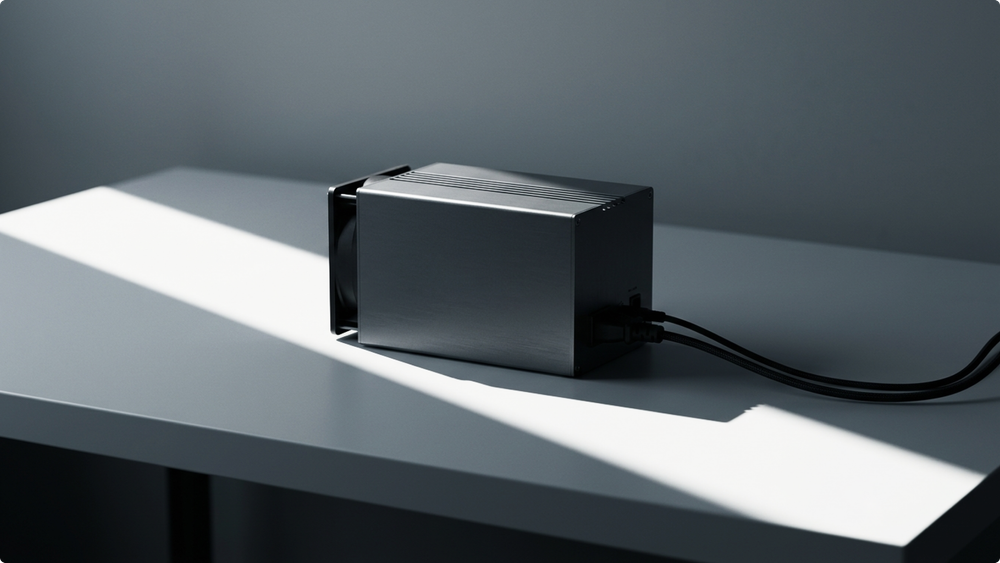

ASIC power consumption costs are calculated by converting watts into kilowatts, multiplying by operating hours, and then multiplying by the electricity rate. For example, the Antminer S21 Pro consumes 3,510W, or 3.51 kW, at 15 J/TH efficiency, which equals about 84.24 kWh per day when running 24/7. Many miners use electricity rates below $0.08/kWh as a planning benchmark. Above that level, stronger efficiency, lower cooling overhead, better uptime, or more favorable market conditions may be required to maintain economic viability. This figure helps estimate total daily or monthly energy costs.
Power consumption is not just a specification-sheet metric. It helps determine monthly electricity costs, cooling requirements, circuit breaker sizing, PSU requirements, and whether a setup can operate safely without tripping breakers or overheating cables. Lower power consumption for a given hashrate can reduce electricity costs and improve ROI for miners.
This guide covers the basics: calculating ASIC electricity costs, comparing popular models, estimating amperage at 110V, 220V, and 240V, and preparing a safer mining setup before installation.
Electrical work carries significant risks. This guide should be used for planning purposes and discussions with a licensed electrician. It is not a substitute for local electrical codes, permits, or professional installation.
Key takeaways
- ASIC miners usually run 24/7, so a 3,500W miner can use about 84 kWh per day before cooling and infrastructure overhead.
- The J/TH ratio measures energy efficiency in ASIC mining. Lower J/TH means fewer watts for the same hashrate.
- The Antminer S21 Pro consumes 3,510W at 15 J/TH efficiency, with a typical hashrate of 234 TH/s.
- The Antminer S19 Pro consumes around 3,250W, which can result in significant electricity costs over time.
- Electricity cost is calculated as: kW × hours × electricity rate.
- At $0.08/kWh, an Antminer S21 Pro costs about $6.74 per day, $202.18 per month, and $2,459.81 per year to operate before cooling overhead.
- Not all electricity drawn from the wall reaches the miner. Some energy is lost as heat, and high-efficiency power supply units help reduce this waste.
- Power consumption can fluctuate by more than 10% depending on airflow, temperature, firmware mode, dust, and PSU efficiency.
- Most modern ASICs should not be treated as regular home electronics. Antminer S21 and S21 Pro are high-power 220V to 277V class machines, not simple 110V plug-in devices.
- Three-phase power distributes load across phases for larger mining setups, while single-phase power is more common for small retail setups.
- A PDU, circuit breaker, correct cable sizing, surge protection, airflow, and regular monitoring are part of the mining system, not optional extras.
What is ASIC power consumption in crypto mining and why it matters
ASIC power consumption is the amount of electrical power a miner uses while running. It is usually listed in watts. To calculate electricity costs, convert watts into kilowatts, then multiply by running time and the electricity rate.
A 3,500W ASIC is a 3.5 kW load. If it runs 24 hours a day, it uses:
3.5 kW × 24 hours = 84 kWh/day
That number matters because mining operates continuously. A kettle, space heater, or gaming PC may draw high power for short periods. An ASIC miner can run at near-full load around the clock.
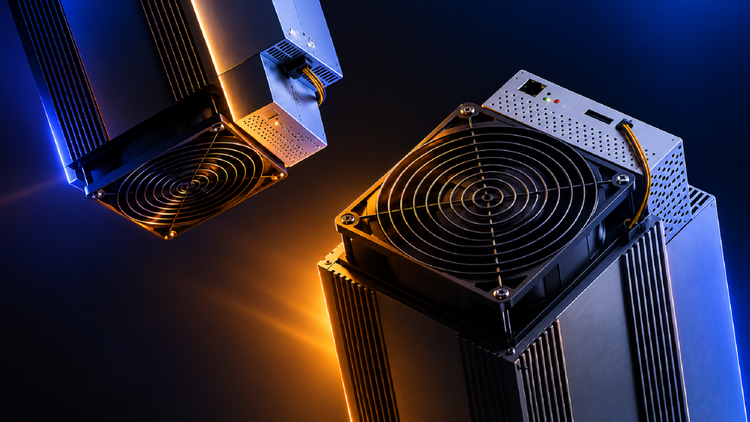
ASIC miners are specialized devices designed solely for cryptocurrency mining. Unlike CPUs, GPUs, or general GPU mining rigs, they are built for a specific algorithm and can perform trillions of calculations per second. This gives ASICs significantly higher processing power for mining, but it also means electrical requirements must be planned carefully before installation.
Key electrical terms include:
| Term | Meaning |
| Watts | Instant power draw |
| Kilowatts | Watts divided by 1,000 |
| kWh | Energy used over time |
| J/TH | Energy efficiency per terahash |
| Voltage | Electrical pressure, like 110V, 220V, or 240V |
| Amperage | Current drawn by the machine |
| Power factor | How efficiently electrical power is used by the load |
| Circuit breaker | Safety device that trips when current is too high |
| PDU | Power distribution unit for controlled power delivery |
| UPS | Backup power device, usually for control systems rather than full ASIC load |
| PSU efficiency | How much wall power is converted into usable miner power |
In a mining setup or data center, various components such as panelboards, rack power distribution units (PDUs), switchgear, transformers, and UPS systems work together to ensure reliable and efficient power distribution to all IT equipment.
ASIC miner: consumes electricity continuously.
J/TH ratio: measures energy efficiency in ASIC mining.
Circuit breaker: protects wiring from overload.
PDU: distributes power to mining devices.
Power factor: affects real electrical load and planning.
Power supply unit: converts wall power into miner power, with some loss as heat.
When power is delivered to the miner, it goes through a process of transformation and distribution—from the utility source, through transformers and switchgear, to PDUs and finally to the ASIC. These processes ensure reliable delivery and protect equipment from surges and outages.
Electricity plays a crucial role in mining economics because it is often the largest ongoing expense for miners. Lower power consumption for a given hashrate can reduce electricity bills and shorten the hardware payback period, but it does not guarantee a positive result. Bitcoin price, difficulty, uptime, pool terms, cooling, and operational costs all matter.
How to calculate daily, monthly, and annual electricity costs
The formula is straightforward:
Watts ÷ 1,000 = kilowatts
Kilowatts × hours used = kWh
kWh × electricity rate = electricity cost
The Antminer S21 Pro can be used as an example.
Antminer S21 Pro consumes 3,510W, which is 3.51 kW, and has an efficiency rating of 15 J/TH.
Step-by-step calculation: Antminer S21 Pro
Step 1: Convert watts to kilowatts
3,510W ÷ 1,000 = 3.51 kW
Step 2: Calculate daily energy use
3.51 kW × 24 hours = 84.24 kWh/day
Step 3: Calculate monthly energy use
84.24 kWh × 30 days = 2,527.2 kWh/month
Step 4: Calculate annual energy use
84.24 kWh × 365 days = 30,747.6 kWh/year
Step 5: Multiply by your electricity rate
| Electricity rate | Daily cost | Monthly cost | Annual cost |
| $0.05/kWh | $4.21 | $126.36 | $1,537.38 |
| $0.08/kWh | $6.74 | $202.18 | $2,459.81 |
| $0.12/kWh | $10.11 | $303.26 | $3,689.71 |
These figures cover only the ASIC miner. They do not include extra fans, ventilation, air conditioning, PDUs, networking gear, power conversion losses, downtime, maintenance, or hosting fees.
Also remember the PSU. Not all electricity drawn from the wall reaches the hashboards. A lower-quality or overloaded PSU loses more energy as heat. A high-efficiency PSU can reduce waste, improve reliability, and make the real wall-power number closer to the expected operating range.
A miner with a high hashrate may still be unsuitable if electricity costs are too high. Hardware performance and electricity pricing must align. Mining economics ultimately comes down to math.
Power usage of popular ASIC miners and mining hardware
Model specs vary by batch, firmware, operating mode, ambient temperature, and manufacturer tolerance. Use the table below for planning purposes, then verify exact unit specifications before purchasing or wiring equipment.
| Model | Typical hashrate | Power draw | Efficiency | Notes |
| Antminer S9 | Around 13.5 TH/s | Around 1,300W | Around 96 J/TH | Known for its compact size, making it suitable for limited spaces; older 110V-capable units exist, but efficiency is weak by 2026 standards |
| Antminer S19 | 95 TH/s | Around 3,500W | Around 34 J/TH | Older-generation SHA-256 model, still common in used mining setups |
| Antminer S19 Pro | 110 TH/s | Around 3,500W | Around 29.5 J/TH | A 3,250W miner can create significant electricity costs over time |
| Antminer S21 | 200 TH/s | Around 3,500W | Around 17.5 J/TH | More efficient than S19 generation, but still a high-power load |
| Antminer S21 Pro | 234 TH/s | 3,510W | 15 J/TH | Strong efficiency for a high-power air-cooled unit |
| Antminer S23 | Around 318 TH/s | Around 3,498W | Around 11 J/TH | Use current manufacturer or seller documentation before planning wiring, as public S23 specs may vary |
| Whatsminer M30 | Around 88 TH/s | Around 3,344W | Around 38 J/TH | Older-generation SHA-256 model, verify exact unit label before wiring |
| Whatsminer M50 | Around 114 TH/s | Around 3,306W | Around 29 J/TH | More efficient than M30 generation, but still a 3 kW plus load |
| Whatsminer M60 | Varies by configuration | Usually around 3.4-3.5 kW class | Around sub-20 J/TH class | M60 variants differ, so exact label and firmware mode matter |
| Whatsminer M60S | 186 TH/s | Around 3,441W | Around 18.5 J/TH | Newer-generation Whatsminer model with stronger efficiency than M30 and M50 generations |
A newer ASIC often delivers lower J/TH ratings, but that does not automatically translate into better operating performance. The hardware price, electricity rate, network difficulty, cooling cost, uptime, and resale value all matter.
Newer ASIC generations often use more advanced chip architecture. Smaller semiconductor nodes, including 5nm and 3nm designs, can improve energy efficiency because less electricity is needed to move data through the chip. In practice, this is one reason newer miners can deliver more hashrate per watt than older models. The advantages of these newer models include improved efficiency, lower power consumption, and greater suitability for large-scale setups. Still, the real operating result depends on the full setup: firmware, cooling, PSU efficiency, uptime, electricity rate, and pool-side performance.
High-efficiency ASICs usually give a mining setup more room during weaker market periods because they need less electricity for the same unit of work. That does not make the setup risk-free or guarantee a positive result. It simply means electricity costs are less likely to overwhelm mining output compared with older, less efficient hardware.
Electrical setup: wiring, breakers, and phase requirements
ASIC wiring begins with accurate current calculations. The formula is:
Amps = watts ÷ volts
For continuous loads, electrical planning often uses a safety margin. In many installations, this is discussed as the 80% rule, meaning a continuous load should not exceed about 80% of a standard breaker rating. Local code, breaker type, cable size, installation method, ambient temperature, and load classification can change the correct answer, so confirm the final setup with a licensed electrician. Proper wiring and breaker sizing are essential to maintain reliable and safe operation of the electrical system.
Use the table below for planning discussions. It is not a substitute for local electrical codes.
| Model | Power draw | Amps at 220V | Amps at 240V | Practical circuit planning |
| Antminer S19 Pro | 3,250W | 14.8A | 13.5A | Discuss a dedicated 20A or higher-rated 220V/240V circuit, depending on local code and installation details |
| Antminer S21 | 3,500W | 15.9A | 14.6A | Discuss a dedicated 20A or higher-rated 220V/240V circuit, especially for continuous operation |
| Antminer S21 Pro | 3,510W | 16.0A | 14.6A | Very close to a 20A continuous-load planning limit at 220V, cleaner at 240V or with a higher-rated circuit if code requires |
| Whatsminer M60S | 3,441W | 15.6A | 14.3A | Discuss a dedicated 20A or higher-rated 220V/240V circuit, depending on site design |
For 110V, the current becomes much higher:
| Model | Power draw | Amps at 110V | Practical note |
| Antminer S9 | Around 1,300W | Around 11.8A | Some S9 setups can run on 110V if PSU, circuit, cable, and breaker are suitable |
| Antminer S19 Pro | 3,250W | Around 29.5A | Not practical for normal 110V household circuits |
| Antminer S21 | 3,500W | Around 31.8A | Treat as 220V to 277V class hardware |
| Antminer S21 Pro | 3,510W | Around 31.9A | |
| Whatsminer M60S | 3,441W | Around 31.3A | Treat as high-power 220V/240V class hardware |
For modern units such as the Antminer S21, Antminer S21 Pro, and Whatsminer M60S, 220V or 240V is typically the practical option. 110V may work for older lower-power models like Antminer S9, but it is not the right planning assumption for current high-power ASICs. Always ensure a secure installation to protect against electrical hazards and maintain system safety.
Single-phase vs three-phase
Single-phase power is common for home and small retail setups. It can work for one or a few ASICs if the circuit, breaker, cable, PDU, and ventilation are designed correctly.
Three-phase power distributes load across phases and is common in industrial mining setups, mining farms, warehouses, and data centers. It helps balance larger loads and can make power distribution cleaner when several ASICs run together.
Three-phase power: distributes load across phases for industrial mining setups.
Single-phase power: supports smaller ASIC setups when circuits are properly sized.
PDU: helps distribute power safely across multiple devices.
UPS: is usually better for networking equipment and control systems than for full ASIC runtime because ASIC loads are too high for small UPS units.
Breakers, cable sizing, and PDUs
The circuit breaker protects the wiring, not the ASIC. If the cable is undersized, the breaker is wrong, or the PDU is not rated for the load, the setup can become unsafe.
Before installation, confirm:
| Component | What to verify |
| Circuit breaker | Correct amperage for continuous load and local code |
| Cable size | Rated for current, distance, temperature, and installation method |
| Outlet and plug | Rated for voltage and amperage |
| PDU | Rated for total connected load |
| PSU | Compatible with miner voltage and power draw |
| PSU efficiency | Higher-efficiency units reduce conversion loss and heat |
| Surge protection | Protects against voltage spikes where appropriate |
| Grounding | Installed correctly by a qualified professional |
| Load balance | Especially important across multiple circuits or phases |
| Shared loads | Lighting, HVAC, or other devices should not overload the same circuit |
Do not run a 3,500W ASIC through a random adapter, thin extension cable, or overloaded wall outlet. That is not a safe mining setup — it creates a serious fire hazard.
Good electrical security is not about buying the biggest breaker. It is about using the right equipment: correctly rated cables, breakers, PDUs, plugs, grounding, and protection devices that match the actual load.
Cooling systems and their impact on energy consumption
Cooling affects both operational stability and total mining costs.
ASICs convert most of their electrical input into heat. A 3,500W miner effectively functions like a 3,500W heater while also producing hashrate. If the room cannot remove that heat, temperature rises, fans work harder, and the miner may throttle, restart, or produce more errors.
High power consumption also makes cooling a core infrastructure task, not a side issue. The more watts a miner consumes, the more heat the room must remove. If heat builds up, the miner may consume more power, slow down, or become unreliable.
Power consumption can fluctuate by more than 10% based on airflow, temperature, firmware mode, dust, and PSU behavior. Higher temperatures can increase inefficiency, push fans harder, and lead to less stable performance. This is why the same ASIC can draw slightly different power in two different rooms.
Cooling can increase total energy use in several ways:
| Cooling factor | How it affects power use |
| Built-in fans | Higher fan speeds add power draw |
| Exhaust fans | Ventilation adds extra watts |
| Air conditioning | Cooling can become a major cost in warm climates |
| Poor airflow | Heat buildup reduces stability and uptime |
| Dust buildup | Fans work harder and boards run hotter |
| High intake temperature | Can increase power waste and error rates |
The goal is not personal comfort. The goal is to keep intake air, exhaust flow, and board temperatures within safe operating ranges.
A simple retail setup needs a clear airflow path: cool air in, hot air out. A larger setup may need ducting, exhaust fans, filtered intake, negative pressure planning, or dedicated HVAC.
Hydro and immersion cooling setups can reduce some airflow challenges, but they introduce their own requirements: pumps, radiators, fluid systems, maintenance, monitoring, and specialized installation. These systems can be cost effective at scale, but only when the infrastructure, maintenance, and operational costs are calculated properly.
How high-efficiency ASIC miners reduce electricity costs
Energy efficiency improvements can reduce unnecessary waste.
The biggest lever is electricity rate. A miner at $0.05/kWh has a very different operating result from the same miner at $0.12/kWh. Before purchasing hardware, calculate electricity costs using actual utility rates rather than national averages.
Many miners use $0.08/kWh as a planning benchmark. Above that level, the setup needs stronger efficiency, lower cooling overhead, better uptime, or more favorable market conditions to remain economically viable.
Selecting efficient hardware becomes more important as network difficulty increases. When more total computing power competes on the network, inefficient machines have less room for error because electricity costs keep running even when mining output changes.
Practical ways to optimize energy cost include:
| Strategy | Why it helps |
| Choose lower J/TH hardware | Uses less electricity per terahash |
| Use high-efficiency PSUs | Reduces conversion loss and heat |
| Avoid inefficient old models | Cheap hardware can cost more to run |
| Use off-peak rates where available | Lowers cost per kWh |
| Improve airflow | Reduces throttling and cooling overhead |
| Clean filters and fans | Keeps operating temperature under control |
| Avoid unstable overclocking | Reduces errors and power waste |
| Monitor pool-side performance | Shows whether power is producing accepted work |
| Compare locations | Power price may matter more than hardware price |
| Match hardware to the site | Prevents overbuilding or underpowering the setup |
Some firmware modes can reduce power draw by lowering hashrate. This can improve J/TH in some cases, but settings should be tested carefully. A miner that looks efficient on the dashboard but produces unstable pool-side performance is not actually efficient.
Lower power consumption for a given hashrate can reduce electricity bills and shorten the hardware payback period. The main advantage is simple: less electricity spent per terahash. Still, lower power draw alone is not enough. The setup also needs stable uptime, good cooling, reasonable infrastructure cost, and pool-side performance that matches expectations.
Careful planning is essential here. Do not assume the most efficient ASIC is automatically the right choice. The best setup is the one where hardware, tariff, cooling, wiring, and monitoring work reliably together.
Measuring energy efficiency and real power consumption
Manufacturer specifications are useful, but actual power consumption may vary. Temperature, power mode, firmware, PSU efficiency, dust, voltage stability, power factor, and chip quality can all affect the final number.
Power efficiency is the practical metric that links electricity to useful mining work. A miner that uses fewer watts per terahash will usually be easier to operate at higher electricity rates than a miner with the same hashrate but higher energy consumption.
To measure real power consumption, use:
| Tool | What it shows |
| Smart PDU | Per-outlet or total power draw |
| Inline power meter | Simple measurement for compatible setups |
| Clamp meter | Current on a circuit, used by trained professionals |
| Miner dashboard | Device-reported power and hashrate |
| Pool dashboard | Accepted work and worker stability |
| Electrical panel monitoring | Site-level load tracking |
The most useful view combines wall power and pool-side performance. A miner drawing power but producing rejected shares, frequent restarts, or weak pool-side hashrate is wasting electricity.
For example, a miner may show decent local hashrate, but if the pool-side hashrate is weak or unstable, the electricity bill is paying for work that is not being accepted consistently.
Regular monitoring is critical because small problems become expensive when the ASIC runs 24/7. A failing fan, dusty intake, unstable PSU, or overheated room can slowly increase power usage before the miner fully fails.
Common mistakes that increase power usage and electricity costs
The first mistake is calculating only ASIC power consumption while ignoring cooling costs. A 3,500W ASIC may require extra fans or ventilation, especially in warm rooms.
The second mistake is using inaccurate electricity pricing assumptions. Some miners calculate with a national average, then pay a higher local or commercial rate.
The third mistake is buying inefficient hardware because it looks cheap. Older models like Antminer S9 or some M30-generation units may still run, but their J/TH can be too weak for many 2026 electricity rates.
The fourth mistake is ignoring voltage and amperage. A miner that looks fine in a mining calculator still needs a safe circuit, correct plug, rated PDU, and breaker.
The fifth mistake is overclocking without measuring wall power. Higher hashrate can look good until the electricity cost, rejected shares, and heat output rise faster than accepted work.
The sixth mistake is not measuring real power consumption. Dashboard metrics are useful, but actual wall power consumption determines electricity costs.
The seventh mistake is running too many ASICs on one circuit. If the breaker trips, cables run hot, or voltage drops, the setup is wrong.
The eighth mistake is skipping maintenance. Dust, blocked airflow, weak fans, and hot intake air all push the system toward higher costs and lower stability.
The ninth mistake is ignoring PSU efficiency. A weak or inefficient PSU can waste electricity as heat before the miner even uses it.
The tenth mistake is ignoring reliability. A setup that works for one hour but cannot run reliably for weeks is not ready for production mining. The most effective approach is to test, measure, optimize, and scale only after performance is validated.
Pre-setup checklist
- Confirm the ASIC model, watts, J/TH, voltage range, and PSU requirements
- Convert watts into kW and calculate daily, monthly, and annual kWh
- Calculate electricity cost at your real tariff, including peak and off-peak rates
- Estimate cooling, ventilation, PDU, cabling, and installation costs
- Calculate amperage at 110V, 220V, or 240V
- Confirm circuit breaker size, cable rating, outlet type, and grounding with an electrician
- Decide whether the setup needs single-phase or three-phase power
- Choose a high-efficiency PSU and rated PDU where appropriate
- Install surge protection and monitoring where appropriate
- Test one ASIC under load before scaling the setup
- Monitor wall power, temperature, pool-side hashrate, and uptime
Conclusion
ASIC power consumption is where mining economics become practical. Hashrate often gets the most attention, but electricity costs determine whether a setup is financially practical.
Start with the formula: watts ÷ 1,000 × hours × electricity rate. Then add the practical layer: circuit capacity, cable sizing, breaker rating, PDU limits, cooling, PSU efficiency, power factor, uptime, and monitoring.
For one Antminer S21 Pro, the base electricity use is about 84.24 kWh per day. At $0.08/kWh, that is about $202.18 per month before cooling overhead. One machine already represents a significant electrical load. Ten machines require infrastructure planning.
To gain deeper insight into ASIC power consumption and data center power management, explore additional resources, case studies, and related topics for practical examples and technical details.
FAQ
How much power does an ASIC use?
It depends on the model. Older Antminer S9 units often sit around the 1,300W range, while modern Bitcoin ASICs like Antminer S19 Pro, Antminer S21, Antminer S21 Pro, and Whatsminer M60S typically draw roughly 3,250W to 3,510W. Always check the exact unit label and manufacturer spec before wiring.
How many kWh does it take to mine 1 Bitcoin?
There is no fixed kWh number for mining 1 Bitcoin. It changes with network difficulty, miner efficiency, pool performance, uptime, and total hashrate. A better planning method is to calculate an ASIC’s daily kWh usage and compare pool-side output against electricity cost over time.
How much electricity does Antminer S21 use?
Antminer S21 uses about 3,500W, or 3.5 kW. If it runs 24 hours a day, it uses about 84 kWh per day before cooling overhead.
How much electricity does Antminer S21 Pro use?
Antminer S21 Pro uses 3,510W, or 3.51 kW. Running 24/7, that equals about 84.24 kWh per day before cooling overhead.
Can you run Antminer S9 on 110V?
Some Antminer S9 setups can run on 110V if the PSU supports it and the circuit is correctly rated. A typical S9-class load around 1,300W draws close to 12A at 110V, so the circuit, cable, plug, PSU, and breaker must be checked carefully. Modern high-power ASICs like S19, S21, S21 Pro, and M60S should generally be planned around 220V or 240V setups rather than standard 110V household circuits.
without growing costs
cryptocurrencies