





ASIC Miner Maintenance: How to Clean Your Equipment and When to Replace the Thermal Interface
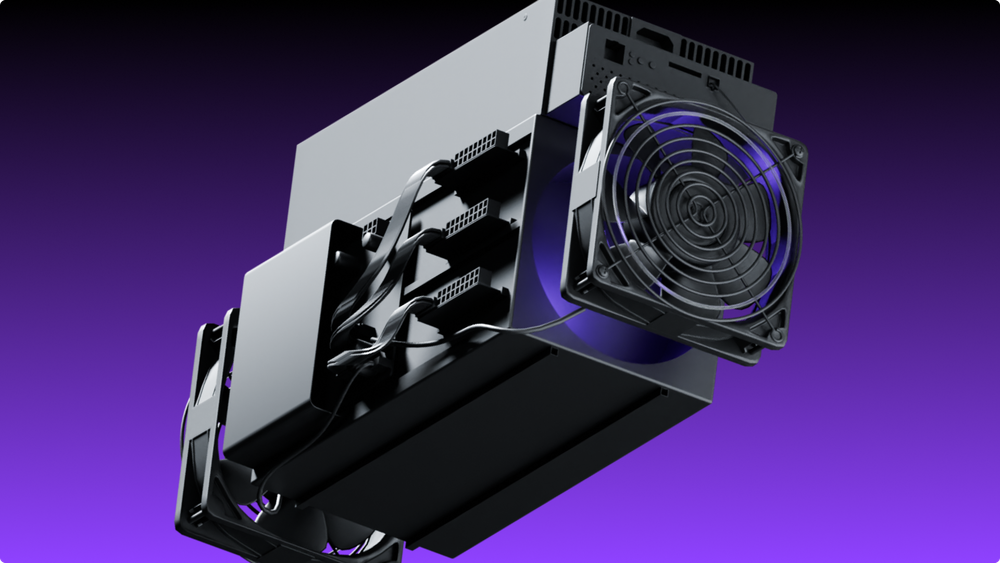

ASIC miner maintenance directly affects the performance and profitability of mining equipment. When a miner overheats, accumulates dust, or develops cooling problems, its efficiency drops and components wear out faster. Regular maintenance helps prevent downtime and costly repairs.
Key Points
- ASIC miner maintenance is essential for stable operation and consistent performance.
- Regular cleaning helps prevent overheating, while timely thermal interface maintenance improves heat transfer and reduces component wear.
- Check the device's condition regularly, and perform a deep cleaning every 3–6 months, along with an inspection of the cooling system and hash boards.
- Pay special attention to fans: their failure directly affects cooling and hashrate.
- Ignoring maintenance leads to overheating, unstable operation, and higher repair costs.
- Continuous temperature and hashrate monitoring with alerts helps catch problems between scheduled inspections, before they turn into downtime or repairs.
ASIC Miner Maintenance Schedule
A structured maintenance routine keeps mining hardware in good working condition and helps prevent dust buildup, reduced cooling efficiency, and degradation of the thermal interface.
Recommended schedule:
- Continuously: monitor chip temperature, fan speed, and hashrate, ideally with automatic alerts.
- Once a month: inspect the miner, check fan operation, and remove surface dust.
- Every 3–6 months: perform a deep cleaning, inspect heatsinks and electrical connections, and service the cooling system.
- Once a year: run hash board diagnostics, inspect the cooling system, and carry out preventive hardware servicing.
The thermal interface usually needs replacing after 6–18 months of operation, or sooner under heavy load, high temperatures, or signs of overheating.
This schedule reduces the risk of unstable operation. If the miner runs in a dusty or poorly ventilated room, maintenance should be done more often.
How to Clean an ASIC Miner
Cleaning is an essential procedure, especially for equipment that runs around the clock. Before starting, disconnect the device from power and let it cool completely. Then open the chassis to access the heatsinks, fans, and hash boards.
Main steps:
- Carefully remove dust from the chassis and hash boards using compressed air. Hold the fan blades in place while blowing them out: if they spin freely at high speed, the bearings can be damaged.
- Clean the fans and ventilation grilles, where dust and debris commonly accumulate.
- If necessary, remove the fans and clean them separately.
- Inspect cables and connectors for damage or loose connections.
To clean the miner safely, avoid moisture, harsh chemicals, and stiff brushes. Use anti-static tools and compressed air. After reassembly, check that the device starts up and runs normally, without cooling errors.
Do the cleaning in a well-ventilated area, ideally outside the room where other equipment is running, so the dust does not settle back on working miners. Keep in mind that opening the chassis may void the manufacturer's warranty: check the warranty terms before servicing a new device.
Hydro and immersion-cooled miners are maintained differently: instead of blowing out dust, they need regular checks of the coolant, pumps, filters, and connections for leaks. Follow the manufacturer's instructions for these models.
Thermal Interface: What It Is and When to Replace It
The thermal interface is the material between the ASIC chips and the heatsinks: thermal paste, thermal pads, or thermal gel, depending on the model. It fills microscopic gaps between surfaces and helps transfer heat from the chips to the heatsink. Over time, under constant high temperatures, it dries out, cracks, or loses contact, and heat transfer gets worse.
When to replace it:
- typically after 6–18 months of operation;
- sooner if the miner runs under heavy load or at high ambient temperatures;
- when chip temperatures rise even though the fans work and the miner has been cleaned.
Signs that the thermal interface has degraded:
- chip temperatures rising steadily at the same ambient conditions;
- the miner reducing its hashrate to protect itself from overheating;
- a large temperature difference between chips on the same board;
- cooling errors and frequent restarts.
How it is replaced. The hash boards are removed, the old material is carefully cleaned off the chips and heatsinks, and a new layer is applied in the type and thickness specified by the manufacturer. Too thick a layer or the wrong type of thermal pad can make heat transfer worse rather than better. The procedure requires care and experience, so for expensive equipment it is better to use a professional service, especially if the miner is still under warranty.
After replacing the thermal interface, compare chip temperatures and hashrate before and after: this is the simplest way to check that the work was done correctly.
Monitoring Between Maintenance Visits
Scheduled maintenance catches problems every few weeks or months, but overheating, a failed fan, or a dying chain can stop a miner within hours. That is why it is important to see the condition of the equipment at all times.
EMCD Monitoring brings the whole fleet into one interface: chip temperature, fan speed, and hashrate for every device. It sends an alert as soon as a miner goes offline, slows down, or overheats, shows a heat map of racks and containers, and keeps a history of device health and repairs, so you can see which machines need maintenance first. It works with any pool, firmware, and device.
After any maintenance, also check the pool dashboard. If you mine in EMCD Mining Pool, make sure all workers have reconnected and that the hashrate the pool sees matches what the device reports. A noticeable gap may indicate a hardware problem, such as a faulty chain, or a connection issue after reassembly.
FAQ
How often should an ASIC miner be cleaned?
A light cleaning is recommended once a month, and a deep cleaning every 3–6 months. If the miner runs in a room with poor ventilation, maintenance may be needed more often.
Can you clean an ASIC miner with water?
No. ASIC miners should never be cleaned with water. Use compressed air and anti-static tools instead. Moisture can damage hash boards, connectors, and cooling components.
When should you replace the thermal interface in an ASIC miner?
Usually after 6–18 months of operation. It may be needed sooner if the miner runs under heavy load, operates at high temperatures, shows elevated chip temperatures, or has cooling problems.
How do you know if the thermal interface has lost its effectiveness?
Common signs include rising operating temperatures, lower hashrate, unstable performance, cooling errors, frequent restarts, and overheating even after the cooling system has been cleaned.
What should you do if an ASIC miner overheats?
Start by checking the cooling system, removing dust, inspecting the fans, and making sure the room is well ventilated. If overheating continues, the thermal interface may need servicing or replacement, and deeper hardware diagnostics may be necessary.
When should ASIC miner fans be replaced?
When they become noisy, run unevenly, slow down, or can no longer keep the miner cool. Faulty fans raise chip temperatures and can trigger an automatic reduction of hashrate.
Why is regular ASIC miner maintenance important?
Preventive maintenance extends the life of the equipment, reduces downtime, prevents overheating, and keeps hashrate stable. Regular inspections and timely servicing also help avoid costly repairs and unexpected failures.
How often should ASIC miner temperatures be checked?
Ideally, continuously. Overheating can develop within hours, so monthly checks during inspections are not enough on their own. Monitoring tools such as EMCD Monitoring track chip temperatures and fan speed for every device and send an alert when something goes wrong. This is especially important for high-density setups and rooms with high temperatures and limited airflow.
Can dust affect ASIC miner performance?
Yes. Dust reduces heat dissipation, increases the load on fans, and raises chip temperatures. Over time, this leads to lower efficiency, unstable operation, and faster component wear.
Does opening an ASIC miner void the warranty?
It may. Many manufacturers void the warranty if the device has been opened or repaired outside an authorized service center. Check the warranty terms before cleaning the inside of a new miner or replacing its thermal interface.
How do I check that the miner works correctly after maintenance?
Check that it starts without errors, that chip temperatures and fan speed are normal, and that the hashrate is back to its usual level. Then make sure the pool dashboard shows the worker online with the expected hashrate.
Is it better to clean an ASIC miner yourself or use a maintenance service?
Basic cleaning can be done yourself with the right tools and safety precautions. Professional service is recommended for diagnostics, thermal interface replacement, hash board inspection, and repairs that require specialized expertise.
without growing costs
cryptocurrencies



