




'%3e%3crect%20x='67.937'%20y='0.078125'%20width='15.0077'%20height='14.9965'%20rx='4.17731'%20fill='%23208F4E'/%3e%3crect%20x='67.8081'%20y='-0.21875'%20width='3'%20height='15'%20fill='%2363D793'/%3e%3cpath%20d='M78.5644%206.8781H76.1787L75.4418%204.60156L74.7026%206.8781L72.3169%206.87579L74.2489%208.28419L73.5097%2010.5584L75.4418%209.15232L77.3716%2010.5584L76.6347%208.28419L78.5644%206.8781Z'%20fill='%23111111'/%3e%3cpath%20d='M76.804%208.79613L76.6382%208.28125L75.4453%209.14938L76.804%208.79613Z'%20fill='%23111111'/%3e%3c/g%3e%3cdefs%3e%3cclipPath%20id='clip0_34823_22293'%3e%3crect%20x='67.937'%20y='0.078125'%20width='15.0077'%20height='14.9965'%20rx='4.17731'%20fill='white'/%3e%3c/clipPath%3e%3c/defs%3e%3c/svg%3e)







How to Add a Crypto Card to Apple Pay: Step-by-Step Guide
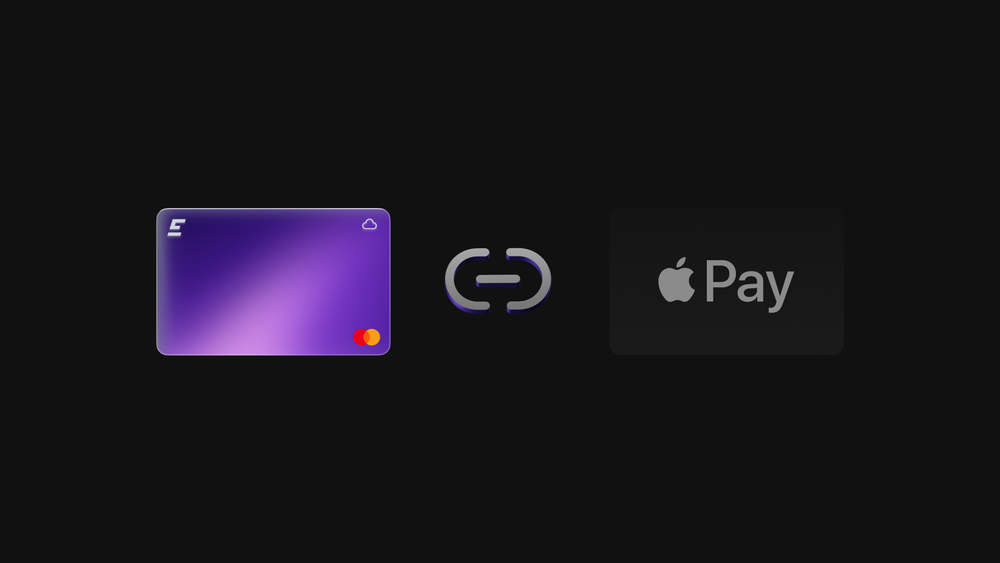

The EMCD Payment Card allows users to pay for supported services using Apple Pay, directly from their EMCD balance. Issued as a virtual card, it can be added to Apple Wallet from within the EMCD app, without transferring funds to external wallets or exchanges. This guide explains how to connect the EMCD Payment Card to Apple Pay and how the setup works inside the EMCD platform.
What to check before adding the EMCD Payment Card
Before starting the setup, it is important to confirm that all requirements are met. This helps avoid situations where the card does not appear in Apple Pay during the process.
To proceed, the user must have:
- a supported iPhone or Apple Watch
- Apple Pay enabled on the device and an up-to-date iOS version
- the EMCD app installed on your iPhone
- an active EMCD account
- an issued and active EMCD Payment Card
If you are using Apple Watch, it must be paired with your iPhone and linked to the same Apple ID. This ensures the card can be used across devices and appear correctly in the Apple Wallet.
How to put a crypto card in Apple Wallet using the EMCD app
The EMCD Payment Card is added to Apple Wallet directly from the app, following Apple Pay’s standard security flow.
To complete the setup:
- Open the EMCD app on your iPhone
- Go to the Payment Card section
- Select the active EMCD Payment Card
- Tap the option to add the card to Apple Wallet
Confirm the request in Apple Pay and complete verification
Once confirmed, the Mastercard card appears in Apple Wallet and becomes available for use with Apple Pay on the iPhone and Apple Watch.
Virtual crypto card Apple Pay setup explained
The EMCD Payment Card is issued as a virtual card by default. This allows immediate access and removes delays associated with physical delivery. The virtual crypto card Apple Pay setup enables contactless payments, online purchases, and payments for approved digital services.
Because the card operates inside EMCD’s platform logic, transactions follow predefined rules. Funds remain within the platform, and payments are processed internally. This structure prioritizes predictability and transparency over unrestricted spending.
How to use the EMCD Payment Card with Apple Pay
After the card is added, Apple Pay acts as the payment interface, while EMCD manages balances and transaction logic.
You can:
- pay using Apple Pay at supported terminals
- use the card on Apple Watch for contactless payments
- manage card status and activity directly in the EMCD app
The EMCD Payment Card is designed for approved service categories. This ensures clarity of the rules and prevents unexpected payment behavior when using your crypto.
Why the EMCD Payment Card may not appear in Apple Pay
If the crypto card does not appear in Apple Pay after setup, the issue is usually related to device or account conditions.
Common reasons include:
- Apple Pay disabled on the device
- outdated iOS version
- the EMCD Payment Card not fully activated
- regional Apple Pay restrictions
- incomplete verification during setup
If you encounter this issue, open the app and check the status of the card. If you repeat the process and the issue remains, EMCD support can help review the account configuration.
What makes the EMCD approach different
The EMCD Payment Card is a platform-native card rather than a general-purpose exchange card. It is designed to give users a controlled way to use crypto inside the EMCD ecosystem, without moving funds externally or managing multiple workflows.
For users who rely on EMCD services, this approach reduces friction and keeps payments aligned with how my crypto is already used on the platform.
Conclusion
Adding the EMCD Payment Card to Apple Pay is a straightforward process completed entirely within the EMCD app. The virtual card is securely added to Apple Wallet and used through Apple Pay on the iPhone or Apple Watch.
By design, the EMCD Payment Card focuses on clarity, control, and internal platform use. If you value predictable payments and a clear connection between services and balances, this setup provides a practical way to pay with crypto where it already works.
without growing costs
cryptocurrencies