





Desktop Crypto Wallets: Features and When to Use One
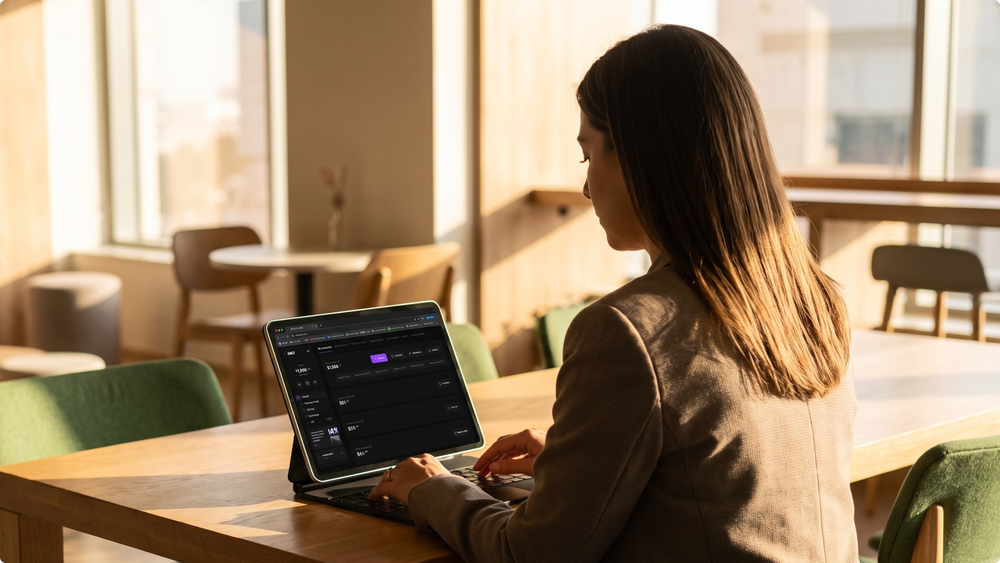

A desktop wallet is an application installed on a computer that works locally. It suits those who want detailed data on a large screen, advanced features, and convenient asset management.
This article is for informational purposes only and does not constitute financial advice. We do not recommend specific wallets: choose based on your own needs and checks.
Key takeaways
- A desktop wallet stores private keys locally on your computer, giving you full control over your funds.
- Most desktop wallets are non-custodial: no third party can freeze your funds, but security and backups are your responsibility.
- Useful features include hardware wallet support, fee control, coin control, and connecting to your own node.
- The main risks are malware, fake downloads, and improper storage of the seed phrase.
- For large amounts, a desktop wallet works best together with a hardware wallet.
How a desktop wallet works
A desktop wallet stores private keys on your computer, not on third-party servers. Most of these wallets are non-custodial: the keys remain under your control, and you do not depend on a third-party platform.
When choosing a wallet, check its compatibility with your operating system: Windows, macOS, or Linux. Many modern wallets support several systems, but features and convenience may differ.
Because the keys are stored locally, security depends on your computer. The main risks:
- malware on the device;
- fake versions of the wallet downloaded from unofficial sources;
- improper storage of the seed phrase.
Common features of desktop wallets
Functionality depends on the wallet, but most offer:
- a convenient interface: on a large screen, it is easier to review addresses, transactions, balances, and settings;
- hardware wallet integration: private keys stay offline on the device, and transactions are prepared and reviewed in the desktop interface;
- fee control: you can choose the fee depending on the desired confirmation speed;
- coin control: you choose which specific coins (UTXOs) to spend, which is useful for privacy and fee optimization;
- node connection: some wallets let you connect to your own node or run a full node, which downloads and verifies the entire blockchain and gives complete independence from third-party infrastructure.
Types of desktop wallets
Instead of a list of brands, it is more useful to compare the main types: each suits different tasks.
| Type | Features | Best for | Limitations |
|---|---|---|---|
| Lightweight Bitcoin wallet | Quick setup without downloading the full blockchain, seed phrase backup, fee control | Everyday use and storage of BTC | Relies on third-party servers to get blockchain data |
| Full-node wallet | Downloads and verifies the entire blockchain itself | Maximum independence and verification | Requires a lot of disk space and time to sync |
| Advanced Bitcoin wallet | Coin control, privacy tools, detailed transaction data, hardware wallet support | Experienced users who want full control | Can be complex for beginners |
| Multi-asset wallet | Many coins and networks, built-in swaps, portfolio view | Managing several assets in one app | Swap terms and fees depend on third-party providers; less control over details |
How to choose a desktop wallet
Check:
- supported assets and networks: the wallet must support the coins you use;
- reputation and openness: how long the wallet has existed, whether its code is open source, and whether it has been independently audited;
- official distribution: download only from the developer's official website and, where possible, verify the file's signature or checksum;
- hardware wallet support, if you plan to store larger amounts;
- fee control and coin control for more flexible management;
- operating system support and update frequency;
- ease of use: the interface should be clear enough for you to avoid mistakes.
When to choose a desktop wallet
A desktop wallet is a good option when a large screen, detailed asset management, and advanced tools matter more than mobile convenience:
- when you work with detailed transaction history, for example for trading or DeFi;
- when you use complex configurations or connect to your own node;
- when you manage a hardware wallet through a convenient interface;
- when you want full control of your keys without depending on a third-party service.
For miners
A desktop wallet is a convenient way to receive mining payouts to an address you fully control. If you mine in a pool, such as EMCD Mining Pool, payouts are sent to the address set in your account settings. With a desktop wallet:
- you control the keys to the address that receives your payouts;
- on a large screen, it is easier to track incoming payouts and reconcile them with the payout history in the pool dashboard;
- for larger amounts, you can pair it with a hardware wallet to keep the keys offline.
Miners who run their own full node also get the ability to independently verify transactions and the blockchain. This becomes especially relevant with the spread of protocols such as Stratum V2, which let miners build block templates themselves.
Desktop wallet vs. other wallet types
| Wallet type | Where keys are stored | Convenience | Main risks |
|---|---|---|---|
| Desktop | On your computer | Large screen, advanced features, but tied to one device | Malware, fake downloads, lost seed phrase |
| Mobile | On your phone | Always at hand, convenient for payments | Lost or compromised phone, fake apps |
| Web or custodial | Often with the provider | Access from any device, no installation, password recovery | Dependence on the platform, account hacking, withdrawal restrictions |
| Hardware | Offline, on a separate device | Less convenient for frequent use | Loss of the device and seed phrase; you need to buy the device |
The risks differ in nature:
- a desktop wallet's security depends on protecting your device and keys;
- a web or custodial wallet's security relies on the platform's protection and on account settings such as two-factor authentication.
Whichever you choose, use official sources and strong security practices.
How to use a desktop wallet safely
- Download the wallet only from the developer's official website and verify the file's signature or checksum where possible.
- Write down the seed phrase on paper and store it offline. Never store it as a photo, in the cloud, or in a messenger.
- Set a strong password to encrypt the wallet.
- Keep the operating system and antivirus up to date.
- Do not install unknown programs on the computer where the wallet is stored.
- Before sending funds, check the full recipient address: some malware replaces copied addresses.
- For large amounts, use a hardware wallet.
FAQ
Are desktop wallets safe for storing large amounts?
They provide solid protection for moderate amounts, but larger holdings are safer when paired with a hardware wallet that keeps the keys offline.
Are desktop wallets free?
Most are free to download and install, but some offer optional paid features or services, such as swaps with fees.
How do I choose a desktop wallet for several coins?
Look for a multi-asset wallet that supports the coins and networks you need, has a good reputation, open source code, and regular updates. Download it only from the official website.
What makes a desktop wallet secure?
Local key storage, strong encryption, hardware wallet support, open source code, independent audits, and regular updates.
What is the difference between a lightweight wallet and a full-node wallet?
A lightweight wallet gets blockchain data from third-party servers and syncs quickly. A full-node wallet downloads and verifies the entire blockchain itself, which gives full independence but requires more disk space and time.
Can I receive mining payouts to a desktop wallet?
Yes, if the wallet supports the coin and network you mine. Specify its address in your pool settings, and for larger amounts consider pairing it with a hardware wallet.
Disclaimer: This material is provided for informational purposes only and does not constitute financial advice. We do not recommend specific wallets. Check the security, reputation, and terms of any wallet before using it.
without growing costs
cryptocurrencies



